
Vitero is software for conducting effective virtual meetings and training sessions in realistic conditions. Therefore, the following application areas are covered: Web Conferencing, Webinars, Live E-Learning, Desktop Sharing, and E-Collaboration.
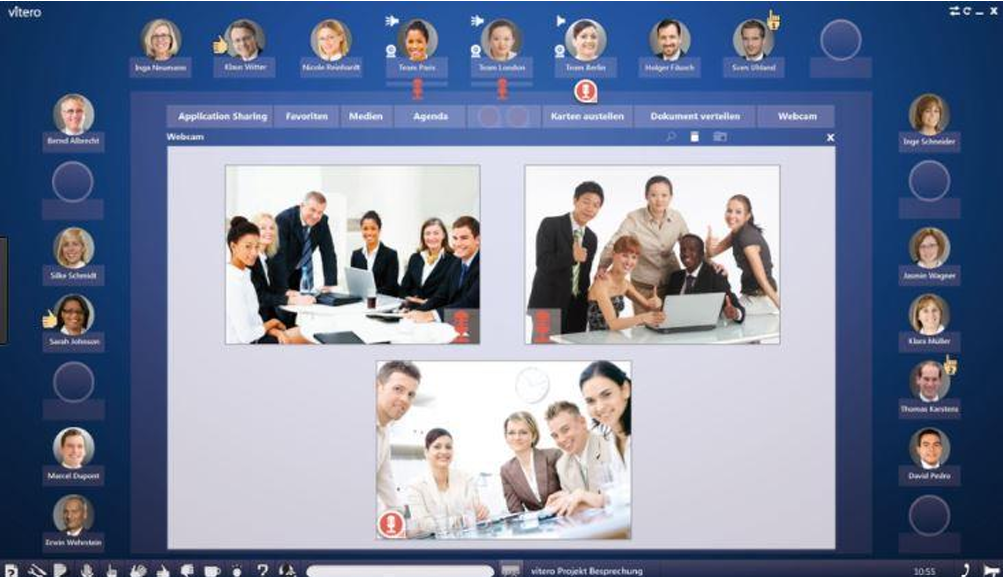
Requirements
The customer has a client set up on a Vitero server. The functionality of the imc Learning Suite depends on the license model selected for Vitero.
Configuration
The configuration is performed via the interface provided by the external service provider.
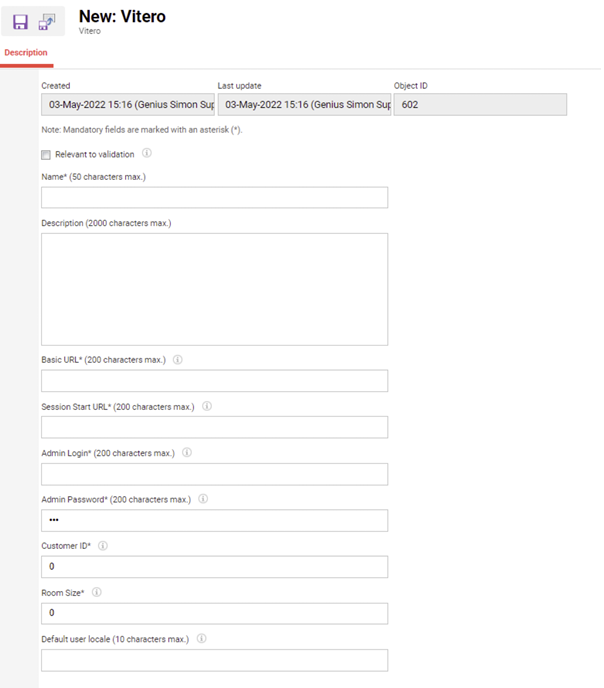
-
Access URLs for the Vitero system (basic URL and session start URL)
-
User credentials as provided by Vitero for the Vitero system of this customer: Login name and password, Customer ID
-
Customer ID is a unique parameter, as it is used for the correct link between LMS and Vitero.This means that the same customer ID can only be used once per system, a new ID must be licensed for the second and each additional Vitero provider (only relevant if the LMS is used by 2 or more clients that have independent vitero licences).
-
Customer ID can only be changed during creation, once saved it can no longer be changed – Default language, if the preferred working language of the user is not covered by platform language of Vitero
-
It is possible to specify, at the time of the meeting creation from the LMS, which room size should be used
-
If several rooms with different sizes have been licensed, it is advisable to use the metatag “Maximum capacity” in the Vitero meeting; if the room size is the same, the value can be specified here without having to use the metatag additionally
Required meta tags
-
Name
-
Start date
-
The start date defines the meeting start time. The meeting is blocked before this start date.
-
The start date needs to be in the future; an input error occurs.
-
-
End date
-
The end date defines the end of the meeting. The meeting is blocked after this end date
-
-
Maximum capacity
-
Meta tag is changed, that it can be assigned to Vitero meetings.
-
-
Vitero Organiser
-
The organiser can either join using the moderation area or the preview function in the media preview, especially in the case of a course-specific Vitero meeting in the course preview.
-
-
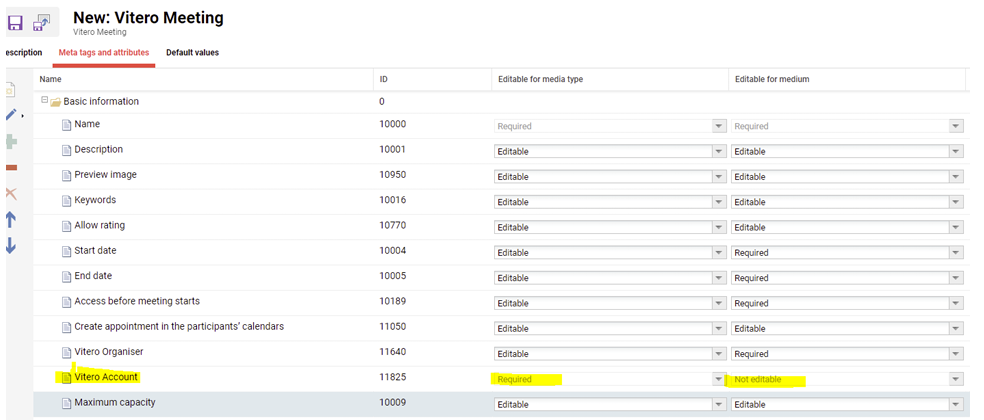
Vitero Account
-
The Account equals the Vitero Provider. This information is required on media type level and not editable afterwards on media (meeting) level
-
Creation of Vitero media types
-
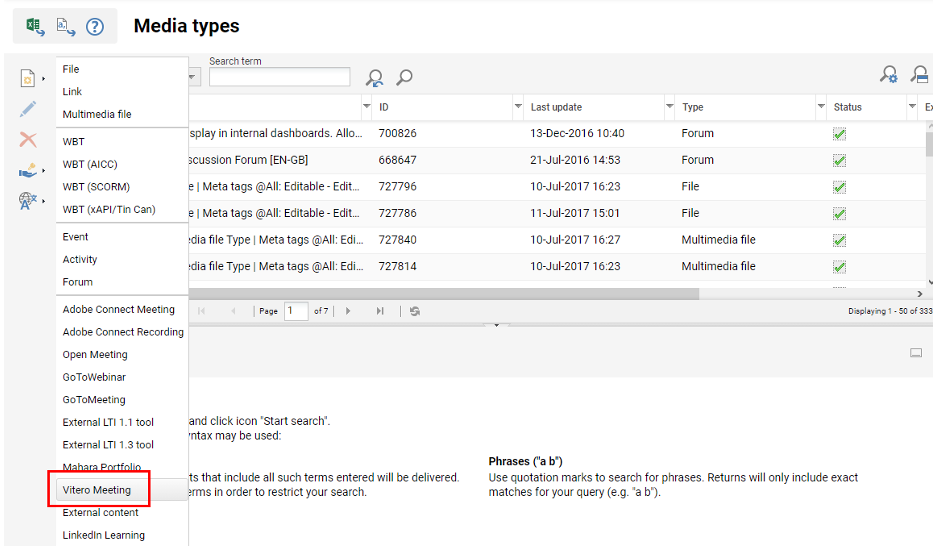
A media type for Vitero can be created in the media type manager.
-
A Vitero must have a name, a start date, end date and a Vitero Account.
-
Select a start / end date.
-
Please note that this can be empty for Vitero media types, but not for Vitero media.
-
-
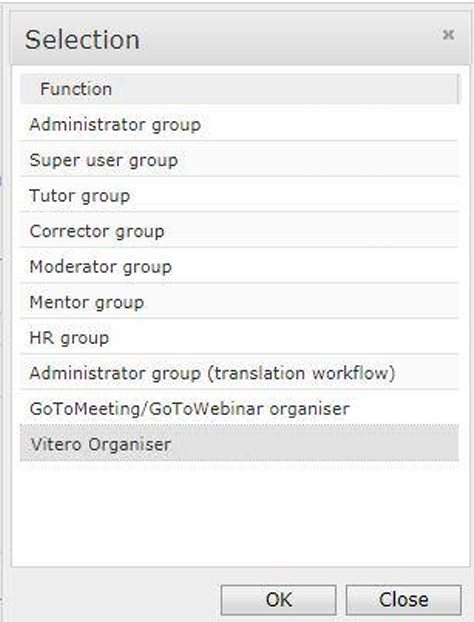
Select an organiser.
-
All users are listed which have the group function Vitero organiser
-
Creation/editing of Vitero media
-
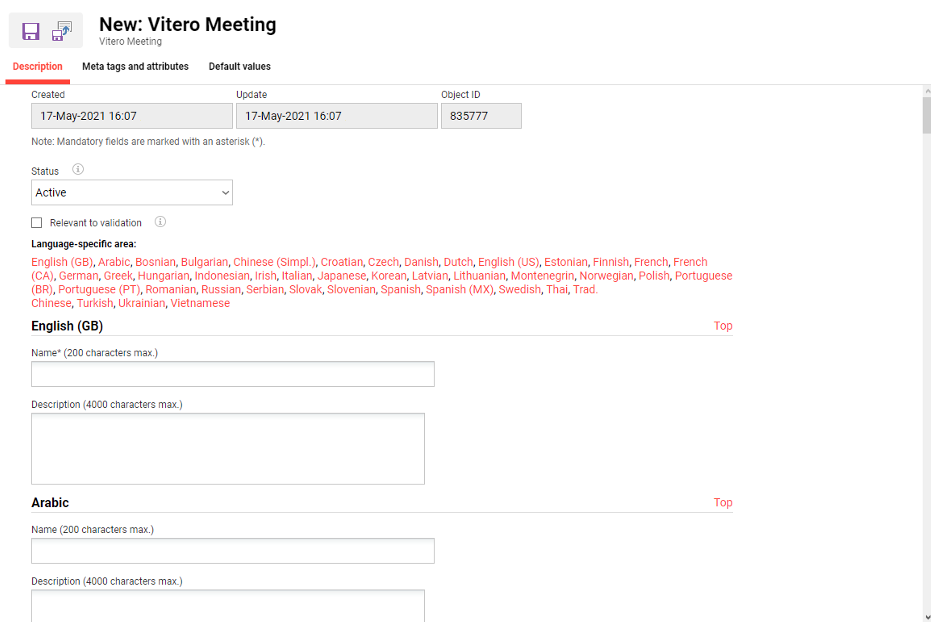
Vitero meetings can be created either in the media manager as general media or as a course-specific one.
-
All required meta tag are defined in the media type per default.
-
Calendar link to check when a room is available
-
This link is Vitero account specific
-
Please note that you cannot edit the meeting specific meta tags after the start date is in the past (start date, end date, Vitero type, Vitero account and Vitero organiser) Creating a course specific meeting without saving the course will nevertheless be saved on Vitero side and therefore block further attempts to create a meeting at the same time (the meeting has to be removed from Vitero side first to proceed).
Adding Vitero to a container
|
|
Can be added |
Supported in ILS learner view |
Supported in ILP learner view |
|---|---|---|---|
|
Catalogue |
Vitero |
Vitero |
None |
|
Course template, social media as type and media |
Vitero |
Vitero |
None |
|
Course template, syllabus as type and media |
Vitero |
Vitero |
Vitero meeting, as soon as a course instance is created |
|
Course template, library as type and media |
None |
None |
None |
|
Course, social media as type and media |
Vitero |
Vitero |
None |
|
Course, syllabus as type and media |
Vitero |
Vitero |
Vitero meeting |
|
Course, library as type and media |
None |
None |
None |
Join Vitero meeting
To join the Vitero meeting in the ILP, the course syllabus can be used:
-
Open a course with a Vitero meeting on the syllabus
-
When the user clicks the arrow icon, the Vitero meeting media detail page opens, and the Vitero session can be started there.
-
OR When clicking on the upper (white) part of the tile, the Vitero meeting opens directly.
-
The meeting starts directly (no e-provider or organiser needed).
Limitations
-
Once rolled into production with a Vitero server, you cannot change the server afterwards.
-
Recording functionality is not considered.
-
Add-ons are not considered
-
A course-specific Vitero meeting will be created by saving it; if the course is NOT saved, the Vitero meeting will still be created on the Vitero server and therefore block new meetings for that time slot.
-
Outdated Vitero media can not be reused. I.e. the start/end date of a Vitero meeting from the past cannot be changed.
-
Correcting account allocations is no longer possible after they are deleted on the Vitero site.