
ID=180
Allows learners, as well as supervisors, to get an overview of feedback forms that they are required to submit in respect to courses where the learner was a participant. To accommodate different user roles or form types, users may need to duplicate the panel and configure each duplicate with a different mode (supervisor/learner).
Learners have access to transfer feedback forms marked as available in non-anonymous reports. Supervisors have access to forms marked as both available for non-anonymous reports and either allowed for the supervisor to provide feedback or allowed for the supervisor to confirm the feedback provided by the employee.
Depending on the setting “Mode” the certifications are shown from different directions, from the learner view or form the supervisor’s view.
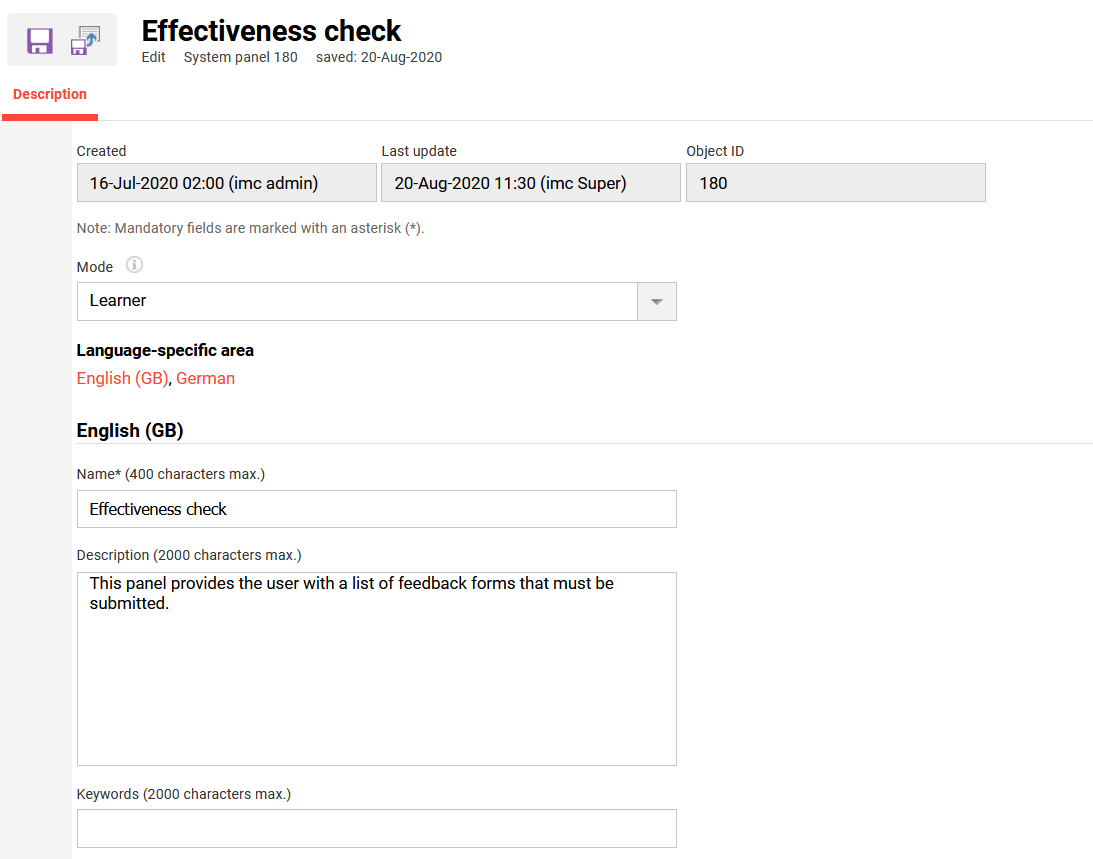
Panel Settings
Mode
By sellecting a option you will change the mode of viewing courses on this panel.
Available options:
|
Role |
Overview |
New design |
|---|---|---|
|
Learner |
Shows effectiveness check feedback for the logged-in user and indicates whether there is feedback to be answered. |
Selecting Effectiveness Check takes the learner directly to the course content page. |
|
Supervisor |
Shows effectiveness check feedback for the supervisor’s employees. The supervisor gets an overview of whether they need to work on feedback or whether feedback from the learner is still missing. |
Selecting Effectiveness Check opens a pop-up window showing the relevant content rather than navigating to a new page. |
Logic to Access Effectiveness Check
|
Case |
Conditions |
Feedback access |
|---|---|---|
|
Case 01 |
Course is accessible for learner
|
Learner and supervisor can access the feedback |
|
Case 02 |
Courses ended for learner
|
Learner and supervisor can’t access the feedback |
|
Case 03 |
Course is not accessible anymore for learner
|
Learner and supervisor can access the feedback |
|
Case 04 |
Course is not accessible anymore for learner
|
Learner and supervisor can access the feedback |
Related Functions