
imc Learning Suite Report Designer is an integrated tool for the report creation of list-based reports within imc Learning Suite. Like any other system functions, it can be released to user which are supposed to create custom list based reports for the system. A license is needed to activate this functionality.
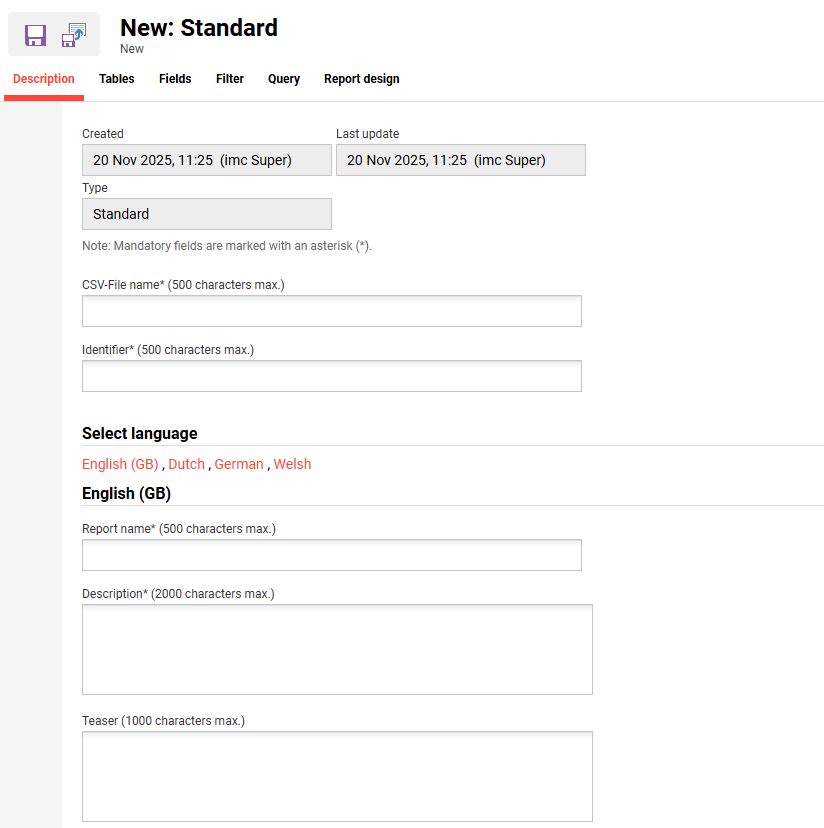
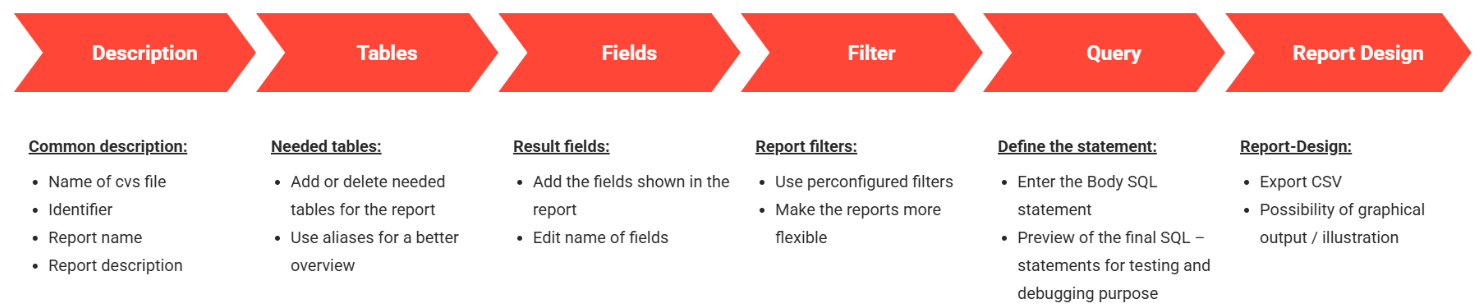
During report creation, the user can follow the provided tabs from left to right to define and design the new report.
The activation of the 'Report builder' license provides the ability to create new standard reports (.csv) or import RDL reports. This can be performed by System Administrators in the “Reports” function accessed via the “Settings > Reports” menu. Here new standard reports can be created from scratch or duplicated. The duplication of standard reports allows exporting and importing of XML element files (by file download or upload) to enable reports to be adapted outside of imc Learning Suite to quickly create similar reports. With the aid of this function, reports can be transported from the Stage/Test system to the live Production system once quality assured.
Information to be populated during creation of standard reports includes:
-
Description: Naming of the exported file, setting the report identifier, naming of the report, describing the report and providing a brief teaser summary.
-
Tables: Selecting the database tables to be used for the report (e.g. group table, component table, person table).
-
Fields: Selecting the database fields/columns of the selected tables to be displayed. Indication if users who view the report can select which of the fore mentioned fields are to appear in the report (e.g. group name, number).
-
Filters: Selecting the filters to be viewed by users to limit the range of results (e.g. groups, course, language).
-
Query: Creating the SQL statements on the basis of the previously selected tables which will be available as placeholders in a list on the right hand side.
-
Report design: Defining a diagram type and layout of the report.
The creation of reports is complex with so many options and given the technical nature of the 'Report builder' this functionality is disabled by default. The function is only activated for customers who have ordered the intensive “Report Designer”' training (explained below) and have a Test environments or a replica reporting database on the Product system. The Report builder functionality does require the administrator to have a good understanding of SQL databases and the ability to write valid SQL statements.