
The "Detailed" course rooms are used for training courses that require more information to be displayed with flexible layouts. On first access, the default behavior is for the "Description" tab to be displayed, containing only the course description details; on subsequent openings of the course, the more detailed "Syllabus" tab opens directly, with one to three columns containing various information panels.
The "Syllabus" tab is where learning objects are accessible and various supporting course details are displayed like forums, support media in a library, tutors, participants, skills and certifications.
-20260408-075933.jpeg?cb=31a26424027968140554e739c078170d)
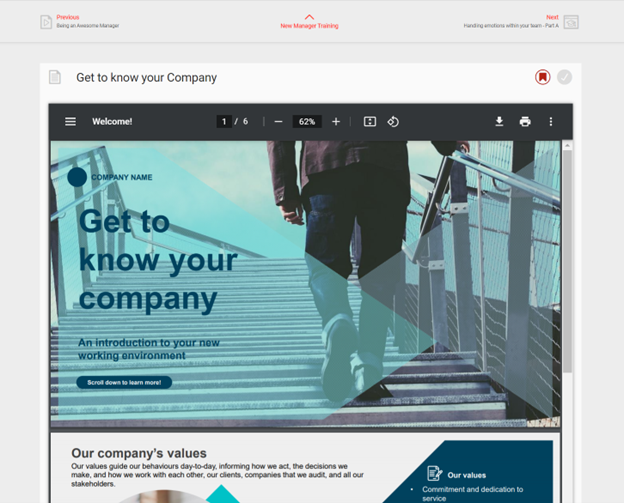
A component is generally opened in the same window by clicking its tile in the "Syllabus". When a component is opened in detailed course rooms, additional navigation items are available, including a "Previous" link for opening the previous component, a "Next" link for opening the following component in the syllabus, and a back link for returning. Further icons that might be displayed include an "Add to bookshelf" and a "Conclude content" button for components such as videos and PDFs, where the learner confirms that the item has been completed.
Hints & Tips
When completing a SCORM Web-based Training (WBT), it is recommended to always click the "<<Back" button when the end is reached to ensure that results are submitted to the LMS.
Course components can additionally be locked by scheduling or learning logic restrictions in which case information is available explaining how or when processing can occur.