
What is the Meta Tag Type "Classification” Module?
Classifications make it possible to relate content across the platform.
Content can be filtered and searched in the backend or frontend (catalogue) based on classifications.
-
Content (e.g. test questions in tests) can be added based on classifications.
-
Learners can browse content based on interests (which are derived from classifications) and receive further content recommendations.
Classifications are now possible for course types, course templates, learning path types, and learning paths thanks to the newly implemented “classification” meta tag.
Benefits
The classification meta tags offer a wide range of benefits, from efficient content organization and retrieval to personalized learning experiences for users. They contribute to a more effective and user-friendly educational platform.
Configuration
A. New Meta Tag
-
The Meta tag manager must be opened.
-
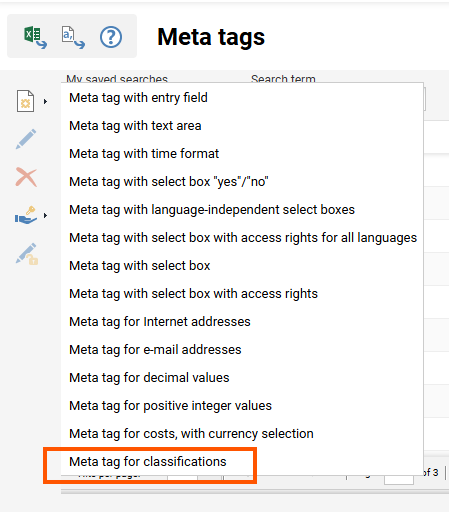
The option to create a new "Meta tag for classifications" must be selected.
-
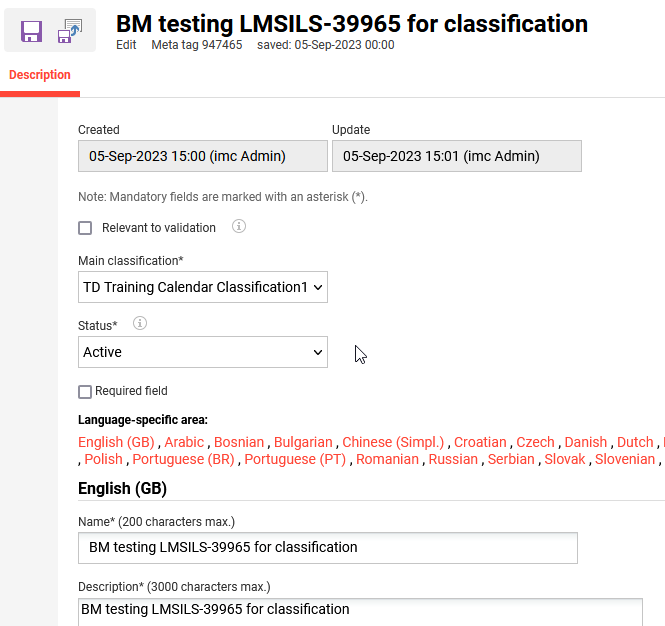
The necessary fields must be completed by selecting the root node and status and providing a name/description for the meta tag.
-
The changes must be saved and the window closed.
B. Add New Meta Tag Type to LP Type, LP Template, Course Type, Course Template
-
The Course Type navigation must be opened.
-
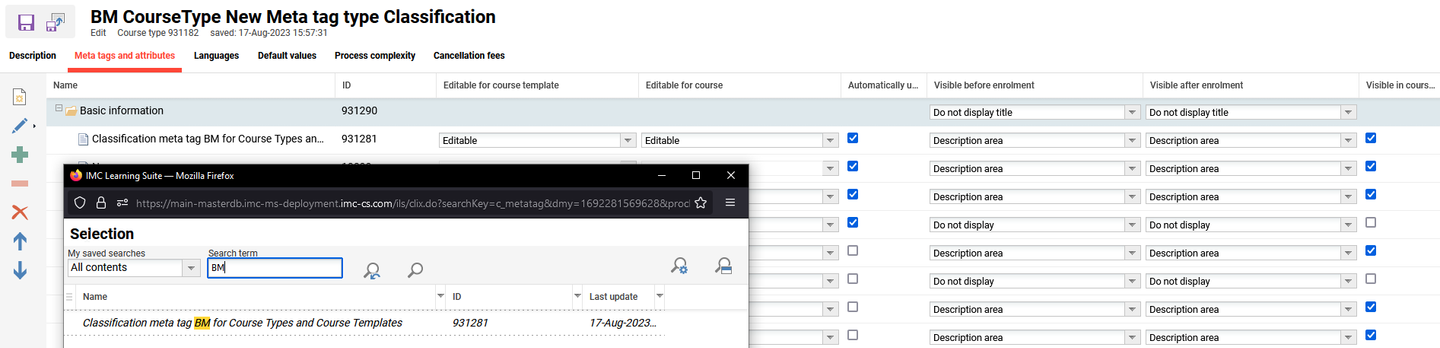
A new course type must be created and the previously created new meta tag added.
-
The Course Template navigation must be opened.
-
A new course template must be created from the course type.
-
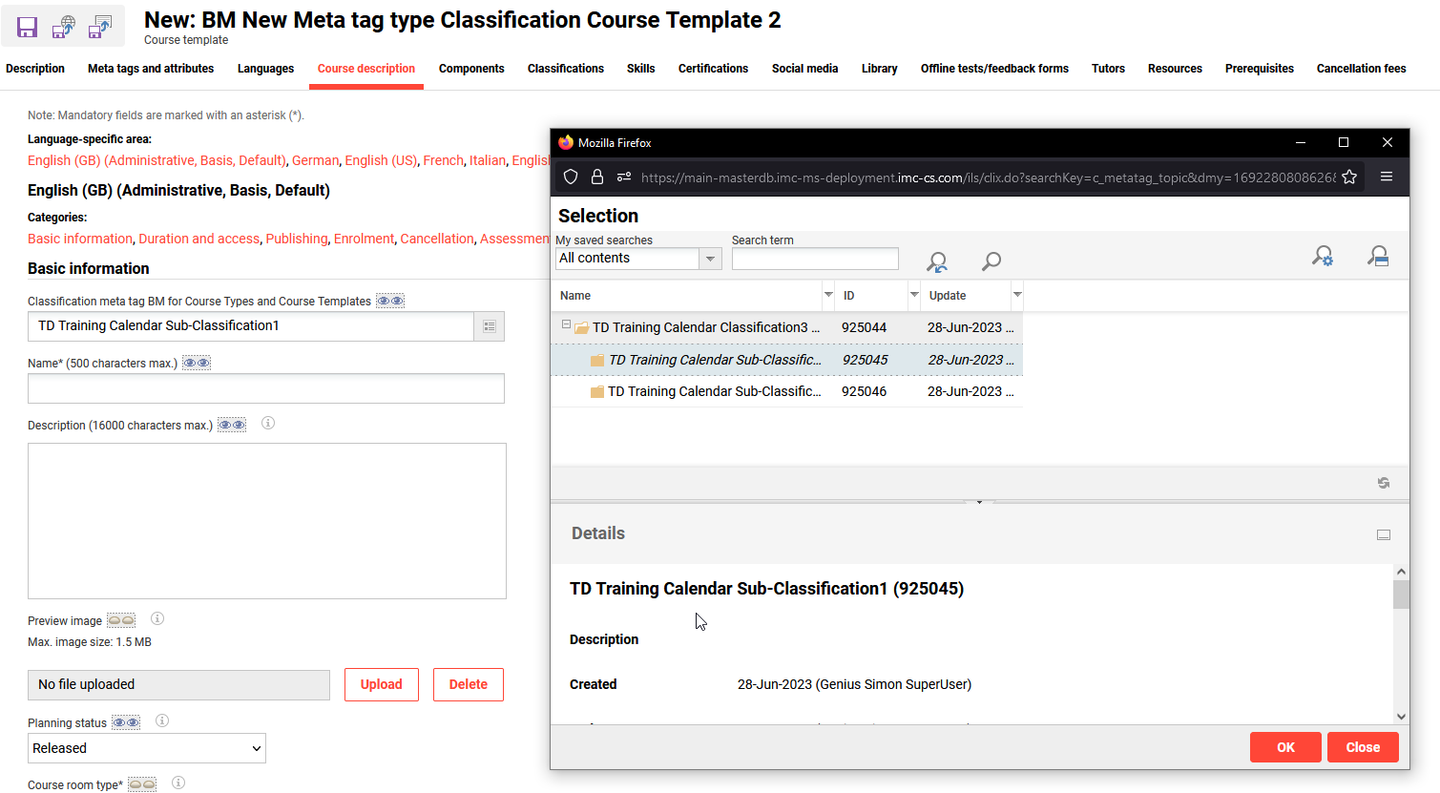
In the Course description tab of the new template, the new meta tag can be used to select a classification from the root folder.
Known Limitations
When classifications are deleted from a meta tag, the auto-complete pop-up must be awaited; otherwise, the edited object (the course) will not be updated in the background.