“Experience Tracks” is a comprehensive feature that enables users to monitor and enhance their learning journey. This module provides learners with a structured framework to track their progress, achievements, and overall learning experience. It"s designed to enhance the learning experience, encourage engagement, and provide valuable insights into a learner"s educational journey. Gamification elements for learners are collected on “My Experience”.
Benefits
Enhanced Training Workflows
The "Experience Tracks" module significantly improves training workflows by empowering learners to visualize their learning path, set and track goals, and receive immediate feedback on their accomplishments. This feature promotes a sense of achievement and motivation among learners.
Personalized Learning
Learners benefit from a personalized learning experience as they can tailor their educational journey based on their specific goals and interests. This module allows learners to identify areas of improvement and focus their efforts accordingly.
Gamified Learning
The integration with the Gamification Server adds a gamified element to the learning experience. Learners earn experience points for completing courses, media, or tests, which can boost engagement and motivation.
Use cases / Scenarios
Goal-Oriented Learning
Learners can use the "Experience Tracks" module to set and track their learning goals. For instance, they can aim to complete a certain number of courses or achieve specific certifications. This use case helps learners stay motivated and on track.
Feedback and Recognition
In scenarios where feedback and recognition are crucial, such as employee training programs, the module can provide immediate feedback and recognition for learners who excel in their learning activities.
Skill Development
Organizations looking to foster skill development and continuous learning can utilize this module to encourage employees to acquire new skills and knowledge. The system can award experience points for mastering relevant content.
How do experience tracks work
Experience tracks work rule based. I.e. there are rules for specific actions which will be evaluated as soon as learners are doing such actions. Such actions are for example:
-
Concluding a course
-
Concluding a media in a course
-
Passing a test
If such an action occurs the rules checking if the conditions are met. These could be
-
The course has a specific classification
-
The rule is only for a specific course/media/test/feedback
If the rule than evaluates to true the learner gets awarded with the amount of experience points defined in a rule.
Depending on the configuration, experience tracks can be used with or without leaderboards and badges.
-20260408-085119.png?cb=d4290be0bd73ab204f00c57cd2a17c26)
Badge details page
Both from the badge panel as well as from the badge section in the experience area, the details page of the badge can be reached
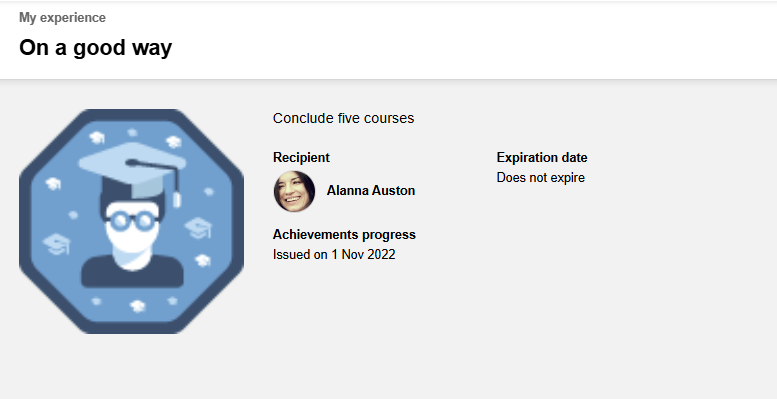
On the badge details page the learner can see the badge image, the issue date, the provider if available, and for Open Badges instructions about the download of badges and the possibility to download the png file.
The recommended size for the badge is 250px or a multiple of this size.
Customers who are already using badges and are updating to the 14.9 version of the LMS are advised to check the size of the badge images to ensure that the images will be correctly displayed on the details page.