
Over time the system's database grows ever larger, and content that is no longer required occupies unnecessary storage space. The functions offered in this manager reduce storage requirements without completely losing the content, since all content can be archived and later restored if required.
|
Database area |
Description |
Warning |
Tables involved |
|---|---|---|---|
|
Internal email distribution area |
Consists of seven database tables and represents all internal email correspondence. |
Archiving these entries means the affected emails are no longer available via the system interface. Users should be informed before archiving takes place. |
|
|
Message monitor area |
Consists of two database tables and represents the history of sent system notifications, for example enrolment messages and system messages, for courses and course templates. |
Archiving these entries means they can no longer be called up via the interface. |
|
|
Audit log user data area |
Consists of one database table and represents the history of changed user data. |
Archiving these entries means they are no longer available via the system interface. |
|
|
Test player response log area |
A set of two database tables representing the history of individual users' responses to test questions. |
Archiving these entries means they can no longer be seen in the report test details. |
|
|
Test player response area |
Consists of the database table storing users' current answers to test questions. |
Archiving these entries means they can no longer be seen in the report test questions per user. |
|
|
Personalized course data area |
Consists of the portfolio database tables and their referencing tables. |
Archiving these entries means they can no longer be seen in reports and searches. |
|
|
Personalized learning data area |
Consists of the |
Archiving these entries means they are no longer visible in the audit log Learning History of courses. |
|
Functions in the database archive
Analyse database area
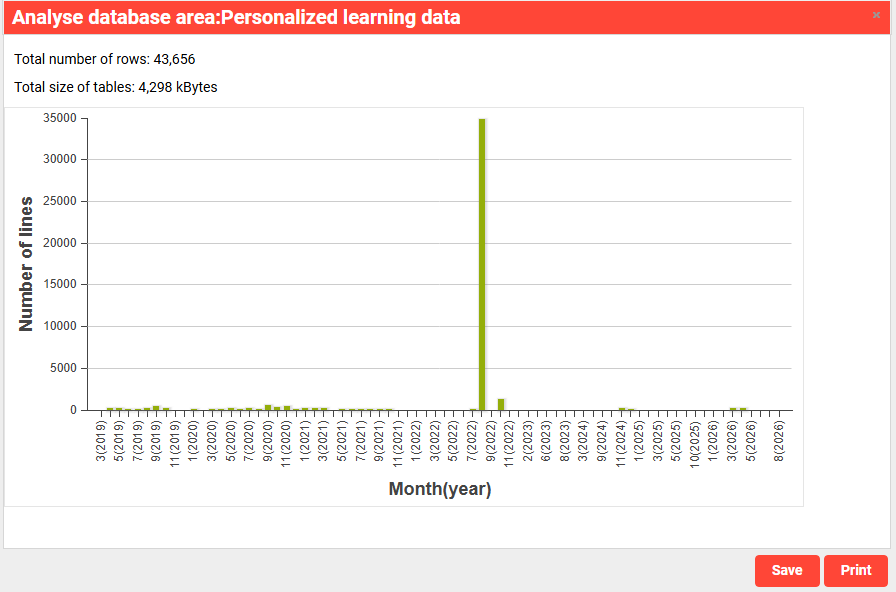
The selected database area is analysed after clicking. All tables in the area are scanned for lines and the size of the affected tables and lines.
After the calculation has ended there is a graphical output of the required lines classified by months. A date can be set to limit the archive. The analysis is then conducted only up to this date.
Start archiving
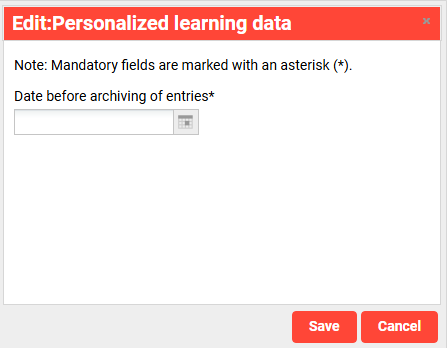
The archive only affects a particular time period. This is entered after the start or was already entered in the analysis. If the date is saved for the analysis this is decisive in terms of the archiving. A separate CSV file is generated for each database table. Then all CSV files are compressed into a ZIP file and stored in the ".../data/dbarchive" folder. An alternative storage location for the files can be determined via the configuration file. The saved data is required for any restoration and should therefore be archived.
Warning: Archived data is removed from the live database, and recovery depends on the archive file being available.
Recovery of archived data

An entry can be selected for the archive history displayed in the pop-up and it can then be restored. In order to conduct successful restoration, the archived files can be stored in the file directory under ".../data/dbarchive" or at a configured location.
Display of archiving history

After clicking the icon a pop-up with all archives of the previously selected database area is displayed.