
This report comprises three pages for evaluating skill KPIs and supporting capacity planning for the overall company or lines of business, with drill-down to the business-unit or group level, including employees of those units. It also provides supervisors with a detailed analysis of team members’ skill statuses. To support these use cases, the report is divided into three report pages, which are described below.
Capacity Overview Report
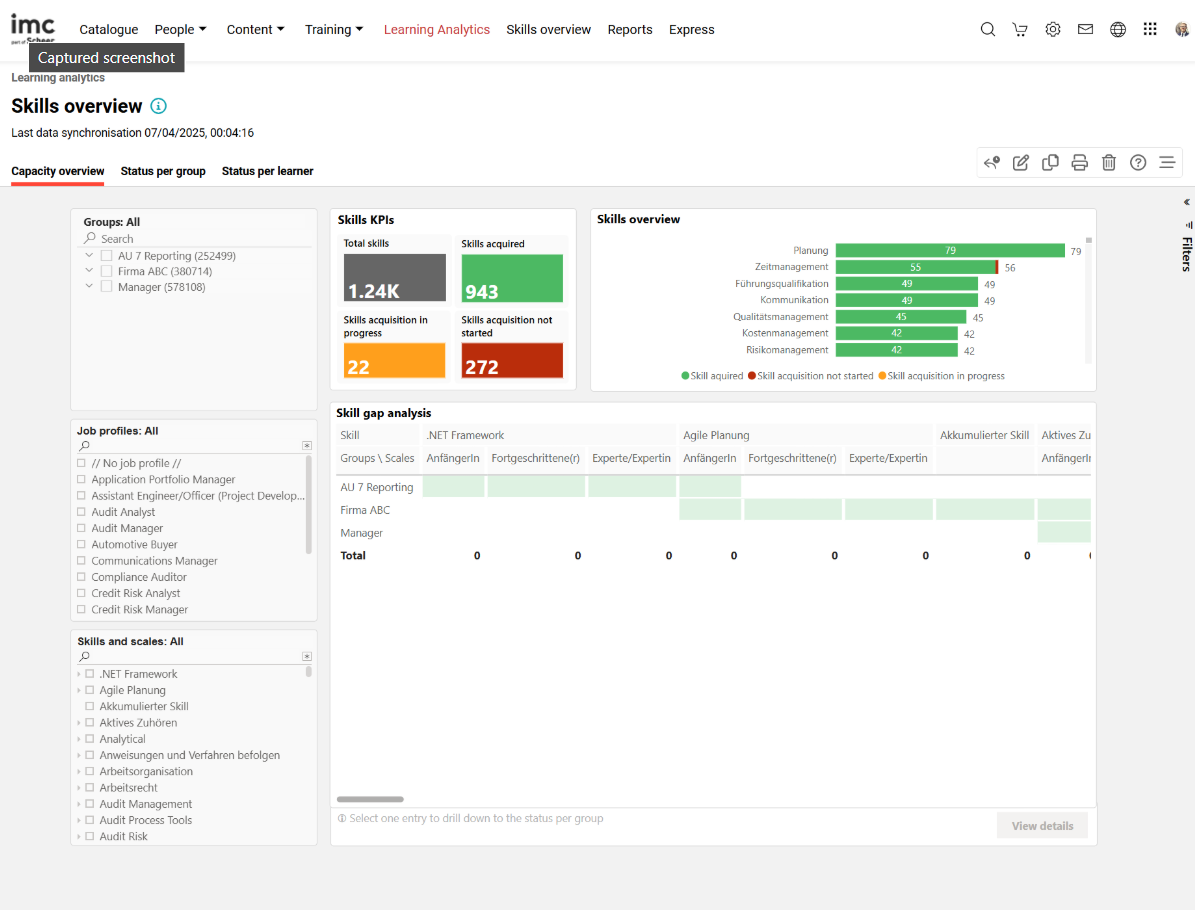
Key Performance Indicators
The “Capacity overview” page provides the following KPIs in the order mentioned.
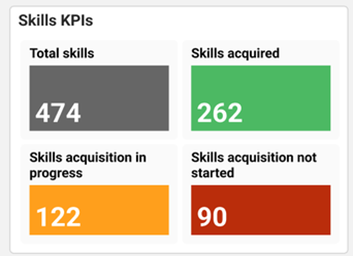
This KPI shows the number of employees whose skill acquisition has not yet started, is in progress, or is complete, for the recorded skills
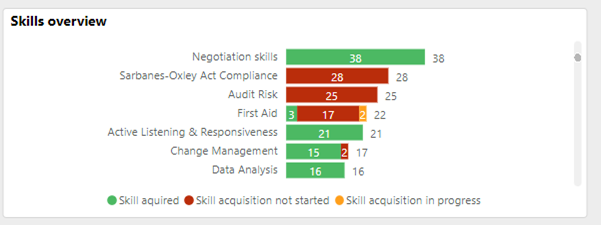
This KPI shows the number of employees whose skill acquisition has not yet started, is in progress, or is complete.
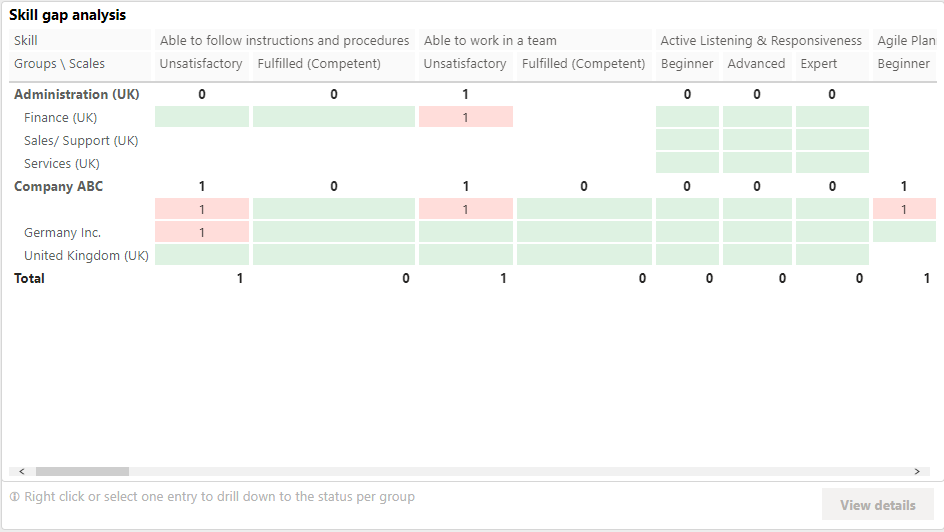
This “Skill gap analysis” shows the number of uncovered skill gaps requiring action for closure.
Metrics
The following metrics are available on the Skills overview report in the order mentioned.
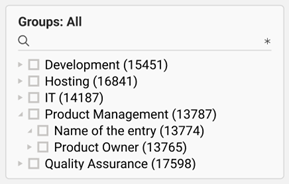
This metric enables a drill-down to a selected group or business unit. Only groups for which the Learning Analytics user has viewing rights and that have at least one learner with at least one assigned skill are shown. Selecting an element in the group tree also selects its subgroups.
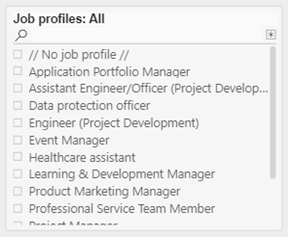
This metric enables a drill-down to a selected job profile. Only job profiles assigned to learners with at least one assigned skill are shown.
A // no job profile // indicates that the report shows skills that have not been assigned to any job profile.
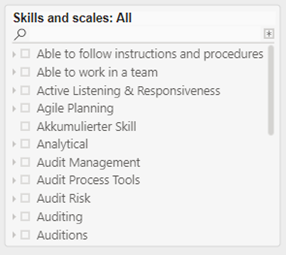
This metric enables a drill-down to a specific skill and scale. Only skills assigned to learners are shown. The skills assigned to a learner may be assigned through a job profile or directly. Only skill scales assigned to a skill are considered.
Status per Group Report
Key Performance Indicators
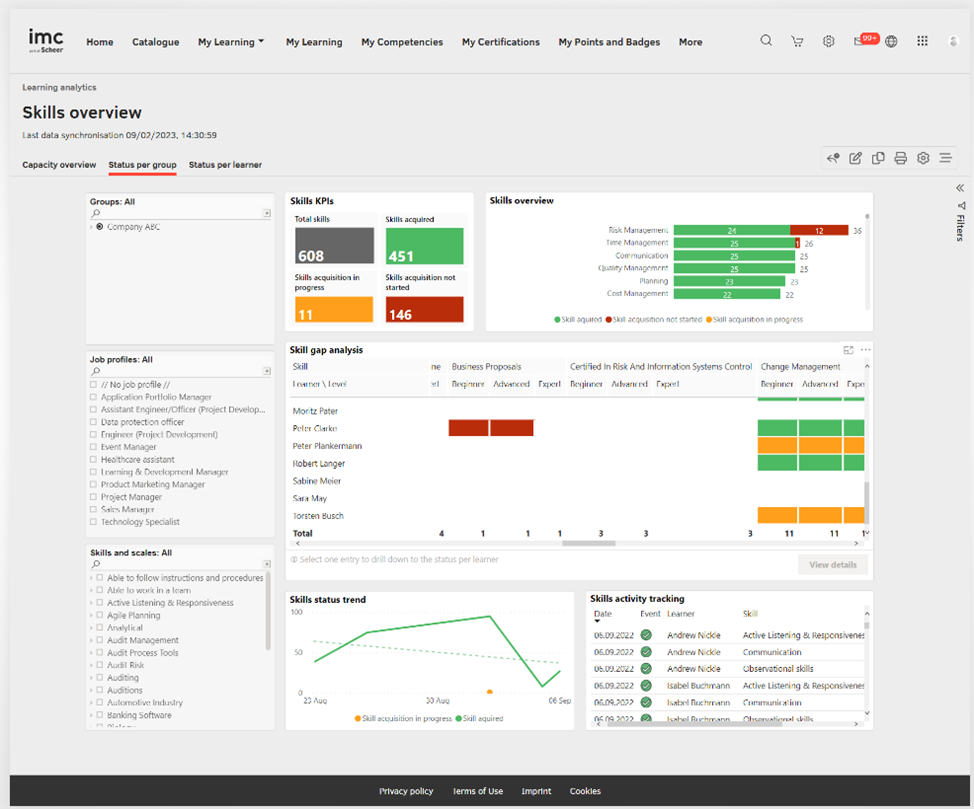
The “Status per group” page displays the following KPIs in the order mentioned.
This KPI displays the number of employees whose skill acquisition has not yet started, is in progress, or is complete for the selected group.
This KPI shows the status of the skills that require training for employees belonging to the selected group.
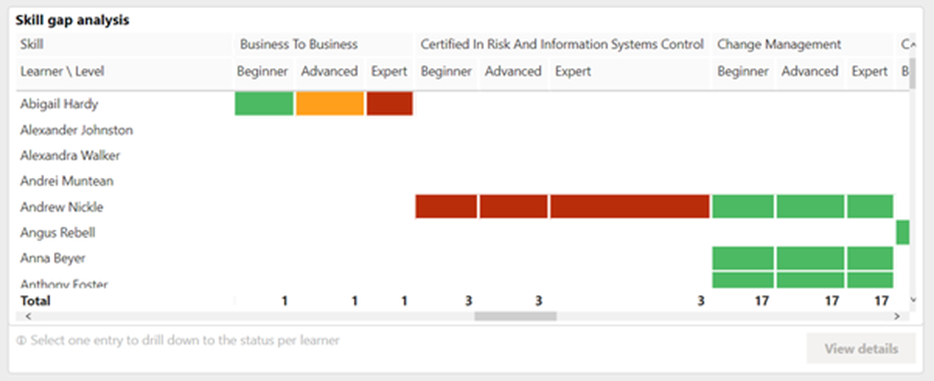
This KPI shows the number of uncovered skill gaps requiring action for closure.
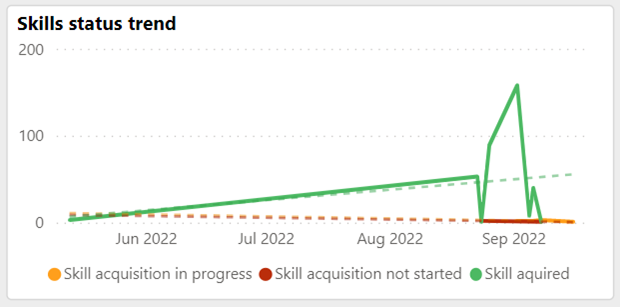
This “skill status trend” shows the qualification trend for the skills of employees belonging to the group over the last year.
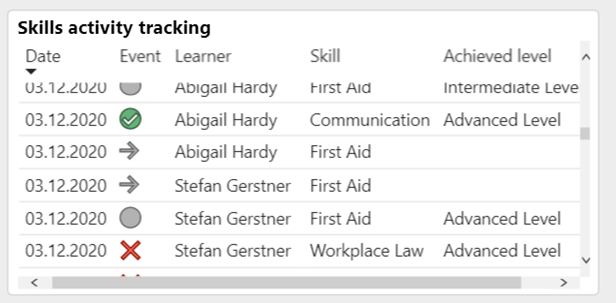
This “skill activity tracking” shows the skill history of employees belonging to the group.
Metrics
The following metrics should be available on the Status per group page in the order mentioned.
This metric filters the report results to a selected group or business unit. Only groups for which the Learning Analytics user has viewing rights and that have at least one learner with at least one assigned skill are shown. Selecting an element in the group tree also selects its subgroups.
This metric enables a drill-down to a selected job profile. Only job profiles assigned to learners with at least one assigned skill are shown.
“// no job profile //” indicates that skills not assigned to any job profile are also evaluated.
This metric enables a drill-down to a specific skill and scale. Only skills assigned to learners, either through a job profile or directly, are shown. Only skill scales assigned to a skill are considered.
Only skill scales assigned to a skill are considered.
Status per Learner Report
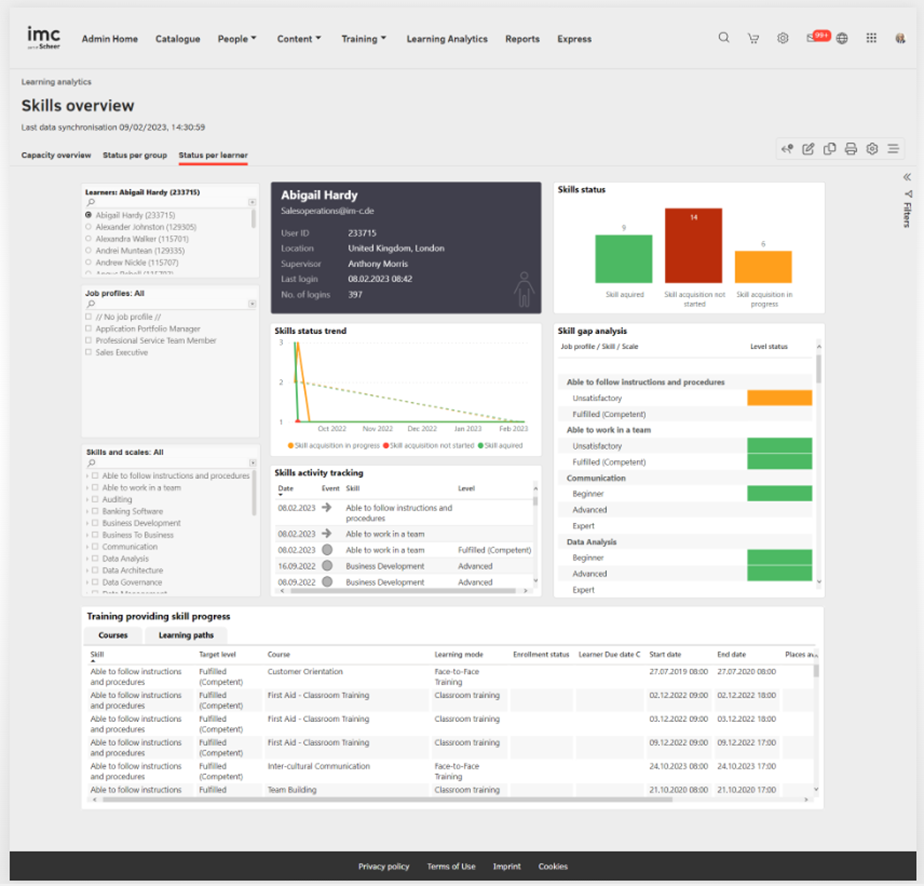
This page evaluates how many skills can be served, are in progress, or need to be planned for the selected employee, so that all products and services can be continuously offered by the selected employee.
Key Performance Indicators
The “Status per learner” page provides the following KPIs in the order mentioned.
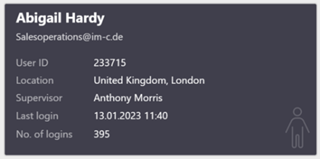
This card shows all relevant details about the learner, including the full name, email address, learner ID, location, supervisor’s full name and email address, last login date and time, and total number of logins.
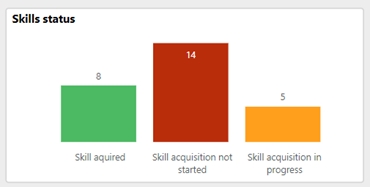
This KPI shows the number of employees in the relevant status within the traffic-light-based skill reporting system.
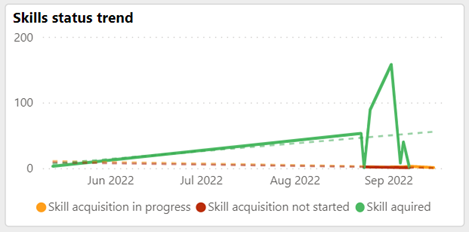
This KPI shows the qualification trend for the skills of the selected employee over the last year.

This view lists the skill status per job profile and the uncovered skill gaps requiring action.
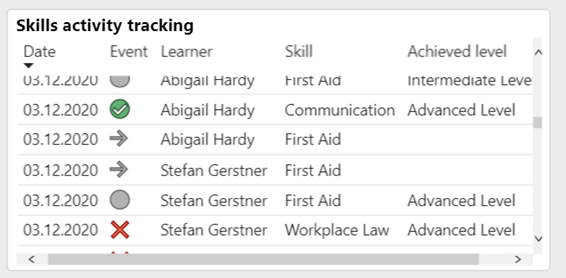
The skill activity history of the employee is shown on this KPI.
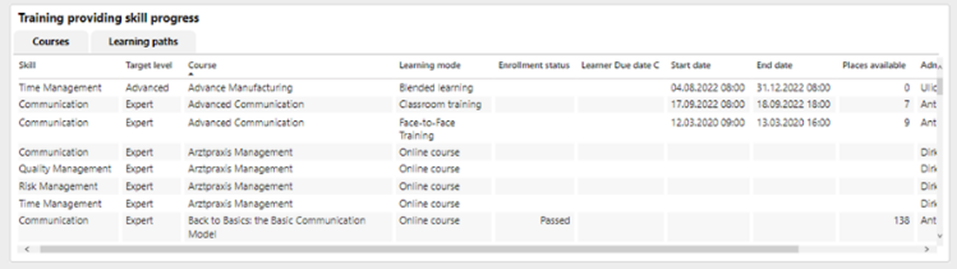
This “Training providing skill progress shows the training that can be assigned to learners to support timely qualification completion.
Metrics
The “Status per learner” page allows report results to be filtered by the following metrics in the listed order.
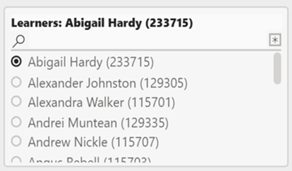
This metric can be used to drill down to a particular learner.
This metric enables a drill-down to a selected job profile. Only job profiles assigned to the learner with at least one assigned skill are shown.
An // no job profile // entry indicates that the report shows skills that have not been assigned to any job profile.
This metric enables a drill-down to a specific skill and scale. Only skills assigned to the learner, either through a job profile or directly, are shown. Only skill scales assigned to a skill are considered.