
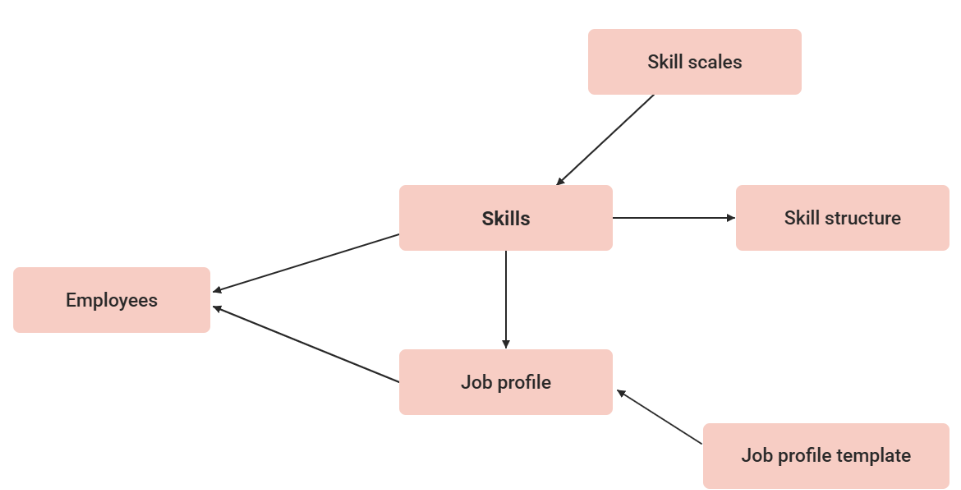
Job-profile templates serve as the basis for the creation of job profiles. In a template, the input fields of the prospective job profile can be determined. If the prospective job profiles are similar in terms of their assigned skills and other properties, those settings can be adopted at the template level and are present by default in job profiles created from this template. Further modifications and refinements are possible.
This function is only available with the licence or the add-on component "Competency Management."
Functions of the Job Profile Template Manager
New
Creates a new job profile template.
Settings
The "Settings" tab determines, for each individual field, whether it applies to job profiles created from the template. In combination with the confirmation mode "Confirmation by skill target achievements," a configuration can specify how many skills must reach their target level for a job profile to be considered confirmed, calculated as a percentage of the profile's total skills.
Those fields are grouped as follows:
-
Basic Information
-
Confirmation Mode
-
Skill display
-
-
Language-specific area
-
Job Description
-
Area of responsility
-
Responsilities
-
Profile requirements
-
Key qualitfications
-
Default values
|
Name |
Description |
|---|---|
|
Displayed skill structure |
Subordinate folders of the selected job profile structure are displayed in the learner’s job profile up to a maximum of the second level. Please note that skills assigned to multiple folders are displayed at the top level. |
|
Confirmation Mode |
If a staff adds a job profile, the confirmation status of the job profile depends on this status.
|
|
Skill display |
Definition if skills are shown as list view or tile view. |
|
Allow self-assignment |
If the option is not activated, this job profile can only be assigned by the administrator or supervisor. If the employees can assign the job profile to themselves, the option must be selected. |
|
Evaluate all skills prior to confirmation |
If this setting is active the job profile can only be approved if every skill was assessed. |
|
Show completion rate |
If enabled, a progress bar is displayed to the user, showing the completion of the skills in percent. |
|
Percentage of required skill target level to fulfill the job profile |
Sets the percentage of required skill targets that must be met to auto‑confirm the job profile. Applies only with “Confirmation by skill target achievements”. |
Skills
On the skill tab skills can be added to the Job Profile Template. Those will be inherited to the Job Profile crated based on the template. For the Skills the needed Scale needs also to be defined, which is needed to fulfill the Job Profile.
New
Edit
Delete
Clearances
Global Functions and Related Topics