
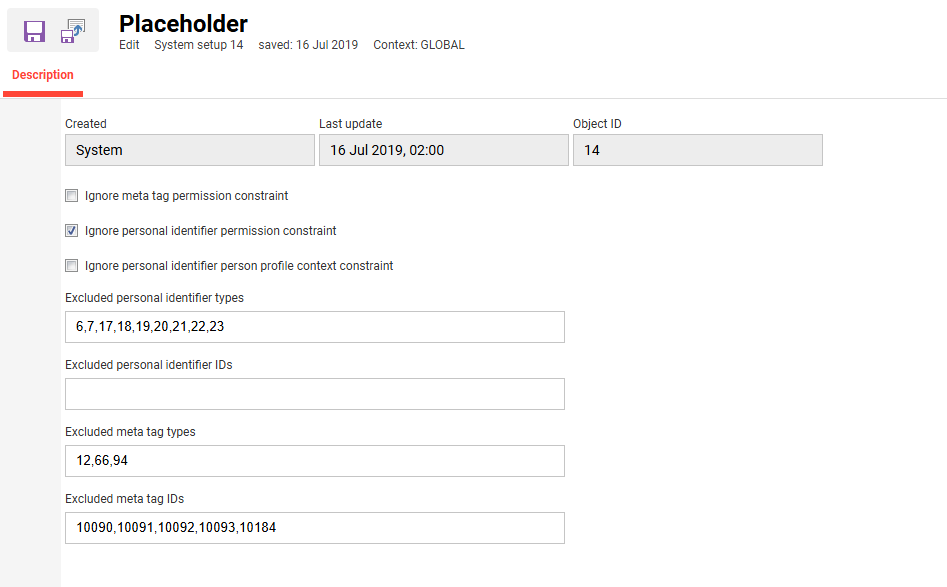
The Placeholder menu controls which meta tags and personal identifiers are available as placeholders for certificates. Four blacklists exclude specific identifiers or meta tags from the list entirely, and three flags control whether the certificate editor is limited to items it has permission to see.
Settings
Flags
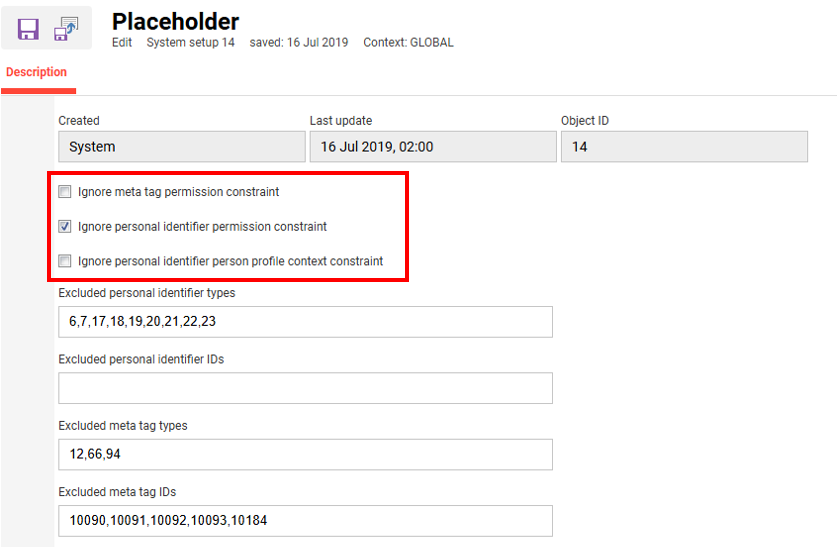
Three flags control whether additional constraints apply to which personal identifiers or meta tags the certificate editor can see.
|
Setting |
What does the setting do? |
|---|---|
|
Ignore meta tag permission constraint |
When set to false, the default, only meta tags the certificate editor has ACL permission for are shown, any permission level is sufficient. When set to true, this constraint is ignored and the editor sees meta tags regardless of ACL permissions.
|
|
Ignore personal identifier permission constraint |
If set to false, the default value, only personal identifiers for which the editor of the certificate has ACL permission are shown, any permission level is sufficient. If set to true, this constraint is ignored and the editor sees personal identifiers independent of ACL permissions.
|
|
Ignore personal identifier person profile context constraint |
Restricts personal identifiers by their person profile context, meaning client. When true, the certificate editor can only see personal identifiers that either have a global context, not bound to a specific client, or correspond to a client the editor is also assigned to. An editor can be assigned to multiple clients.
|
Blacklists
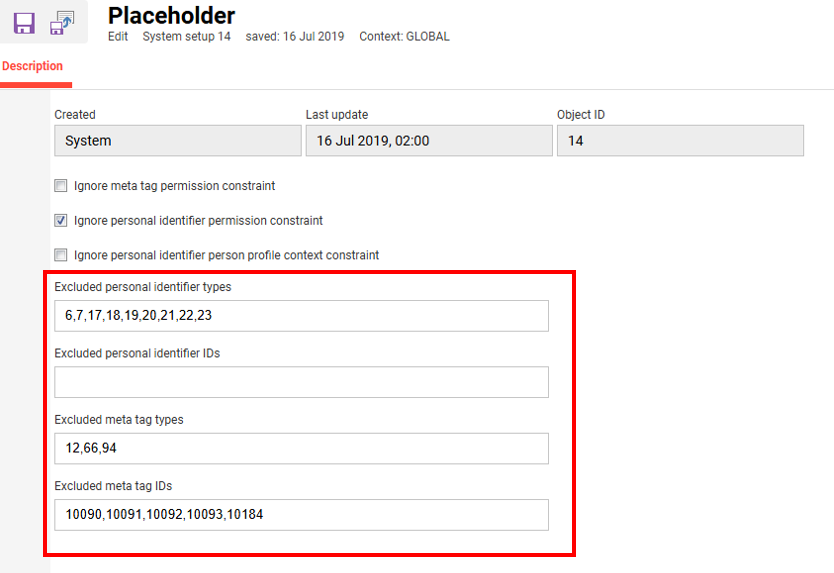
Blacklists contain entries that are excluded from usage.
|
Setting |
What does the setting do? |
|---|---|
|
Excluded personal identifier types |
Blacklist to exclude personal identifiers by type. Some types, like Picture, would not be replaced by the actual image, so they are excluded in the example. Other types like Job_Profiles do not support a meaningful displayable value and/or are only used for internal purposes.
|
|
Excluded personal identifier IDs |
Blacklist to exclude personal identifiers by ID. This list can hold specific personal identifiers where the type is fine in general, for example some text fields which are only used for internal purposes and/or should not be visible to learners.
|
|
Excluded meta tag types |
Blacklist to exclude meta tags by type. Meta tags such as Picture are not replaced by their actual value, and File and Organization likewise have no meaningful displayable value, so they are excluded in the example. Bundle: "strSystemCertificatePlaceholderForbiddenMtTypes" |
|
Excluded meta tag IDs |
Blacklist to exclude meta tags by ID. It is valid to exclude the same personal identifier or meta tag by both type and ID, though this has no added effect. Other excluded meta tags similarly have no meaningful displayable value and/or are only used internally..
|
The certificate editor cannot see blacklisted entries in the list of available placeholders. If the placeholder value, for example $10184$, is still used by typing it directly, the generated certificate will not replace this value.
This generic replacement happens after all other replacements. If a standard or customer-specific placeholder exists, for example LASTNAMELASTNAME LASTNAME, that placeholder is replaced by the standard or customer-specific logic first and is not affected by the generic replacer.