
Feedback form players define the viewing and display options of feedback forms from the perspective of learners. Multiple settings allow multiple scenarios for feedback forms to be visualised.
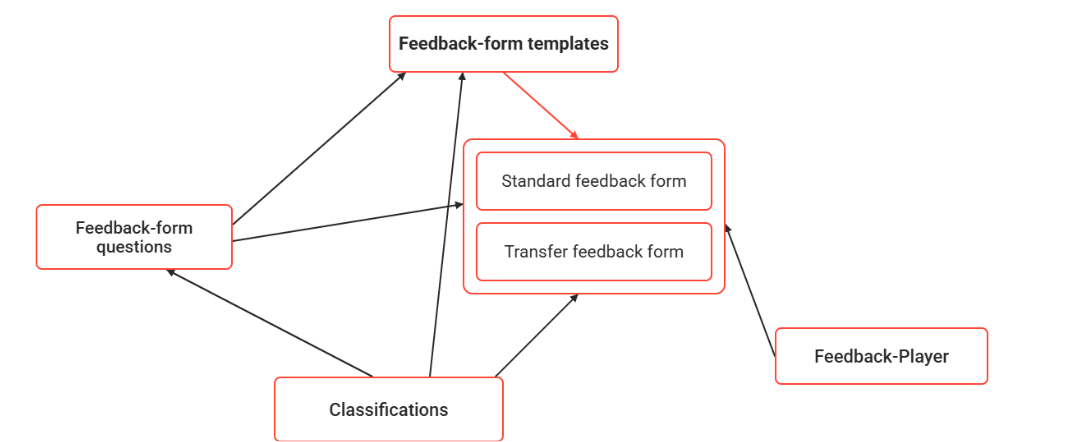
Settings can be defined individually for each feedback form or feedback form template. Alternatively, the feedback form players assigned to feedback forms or feedback form templates can be managed. This facilitates the definition of unified settings. If the settings are adopted by a feedback form or feedback form template via the feedback player, further modification is possible.
Settings
|
Settings |
What does this setting do? |
|---|---|
|
Feedback-form launch |
The “Feedback form start” rubric configures fundamental aspects when accessing feedback form.
|
|
Navigation and functions |
The "Navigation and functions” rubric provides a series of options.
|
|
Display |
By enabling the display of all questions on the same page option, several settings of the test player will be rendered as not considered anymore:Save automatically after each question. Restriction of navigation back to the previous question.The display of all the questions on the same page is optimal for a reduced number of questions (20-30). A higher number of questions will generate a higher loading time, based on the browser’s and device’s performance.
|
Functions of the Feedback Form Player Manager
New
Edit
Delete
Clearances
Global Functions and Related Topics