
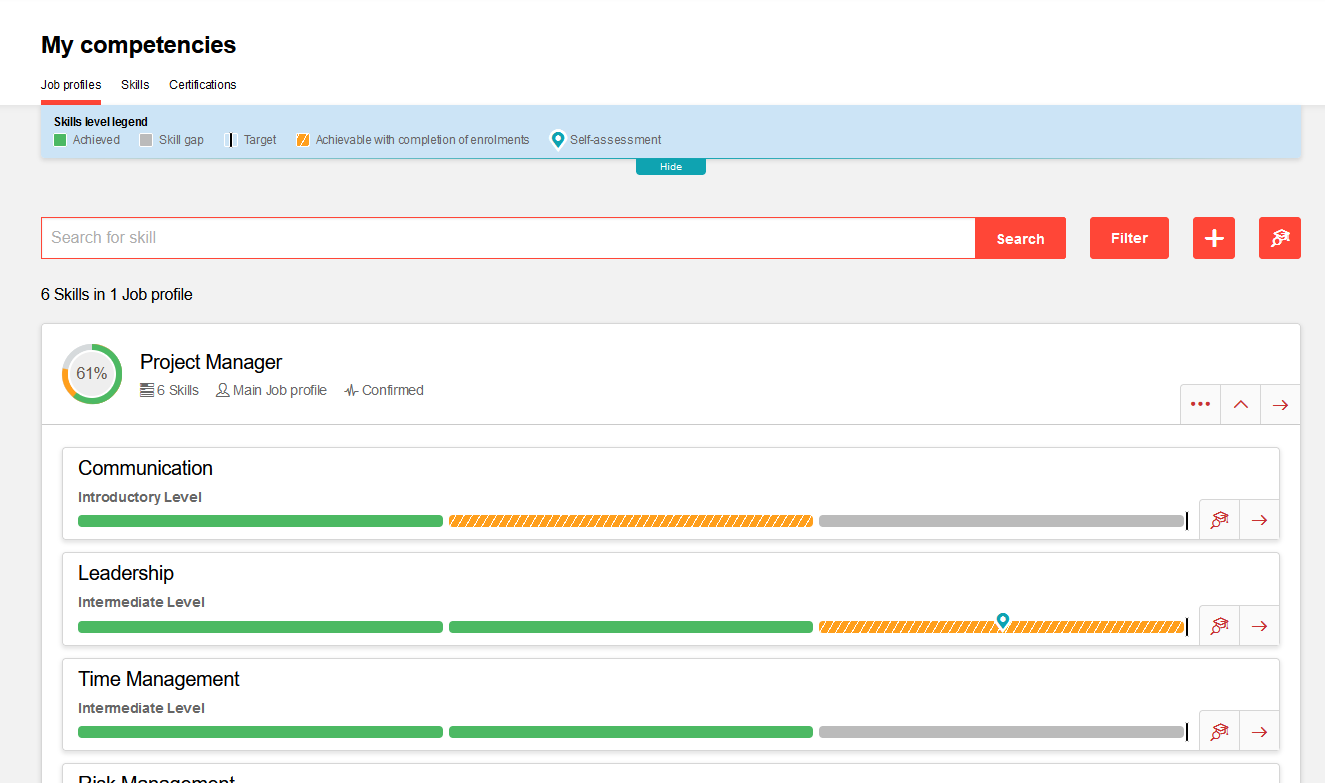
Job Profiles contain Skills that need to be achieved and maintained to meet the requirements. These Skills can be structured and displayed as tiles or in a list view as in the image below. When a Skill is earned the achieved level is displayed in green, where there is a required skill level gap it is displayed in orange, and if there are further Skill levels available that are not required to achieve they are displayed in white. Clicking on the Skills and skill levels will provide more detailed description information.
The "Search catalogue" button conveniently searches the available training catalogues for any training activities that can be completed to fulfil the Skill gaps; otherwise some Skills can allow self-assessment with evidence upload for manager approval and managers can assess Skills.
The"Add +" button allows the Learner to add target Job Profiles to view skill requirements and suitability to other job profiles available.
In a Job Profile the Skills can be structured in folders that are collapsed by default. To expand simply click on the drop down arrow of each folder.
Overall fulfilment of the complete Job profile
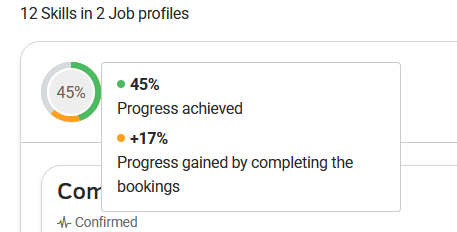
This shows the fulfilment of the complete jobprofil:
-
green: shows the already achieved part of the job profile
-
yellow: shows the part where the user has already courses booked for
-
grey: shows the gap
In this example if he completes the already booked courses he will have an overall rogress of 45%.