
ID = 188
This panel enables the creation of personalized shortcuts for easier navigation and provides quick links to external pages.
Panel Settings
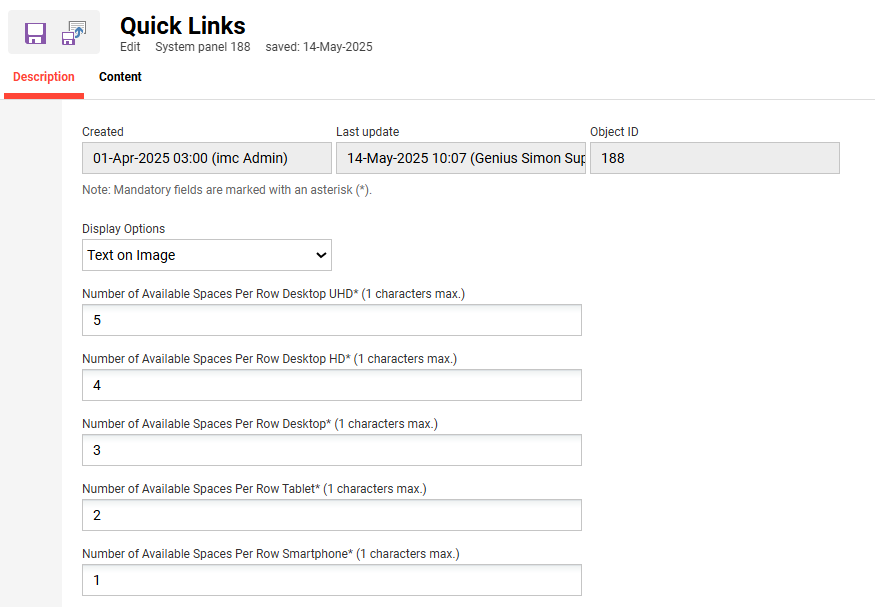
Display Options
Select how the quick links are displayed.
-
Text on image

Example: Text on image -
Text below image

Example: Text below image -
Only text

Number of available spaces per row
These settings determine the number of spaces displayed in the panel for each device.
Contents
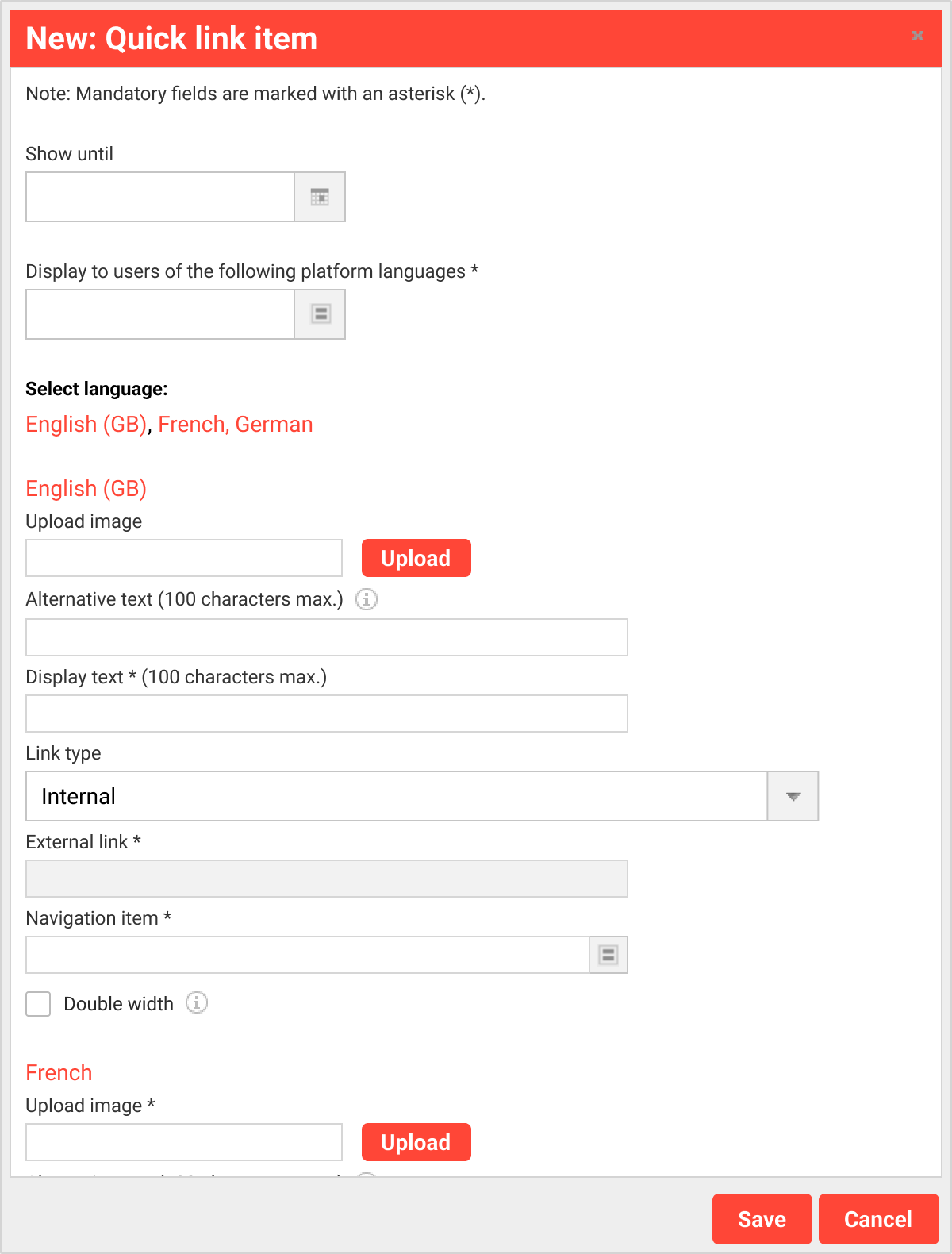
A “Quick link” item can be selected and configured in the contents tab. There is no limitation on adding items to the panel; however, it is recommended not to use more than six to maintain the panel's intention for quick navigation.
|
Setting |
What does this Setting do? |
|---|---|
|
Show until |
This setting allows for establishing a date until the item is displayed. |
|
Display text |
Text displayed for the quick link requires the URL to be added. This text appears on the card based on the “Display options” found in the Display options. |
|
Link type |
Internal and external links can be added. For the internal link, a navigation selection pop-up with navigation items is available. |
|
Double width |
One might consider increasing the width of an item in the grid to highlight it effectively. For instance, if one wants to show five cards in a row on a desktop while ensuring that one card stands out, adjusting the layout in the Display options to allow for six cards per row is needed |
Hints & Tips
Since displaying the URL text is required, a workaround is to add as its value. This way, only an empty space is shown to display just an image, which is especially useful for “text on image.”
Related Functions