
ID=176
This panel allows feedback to be given regarding the system. This is a special feedback, which is not connected in any way with the course feedback.
Panel Settings
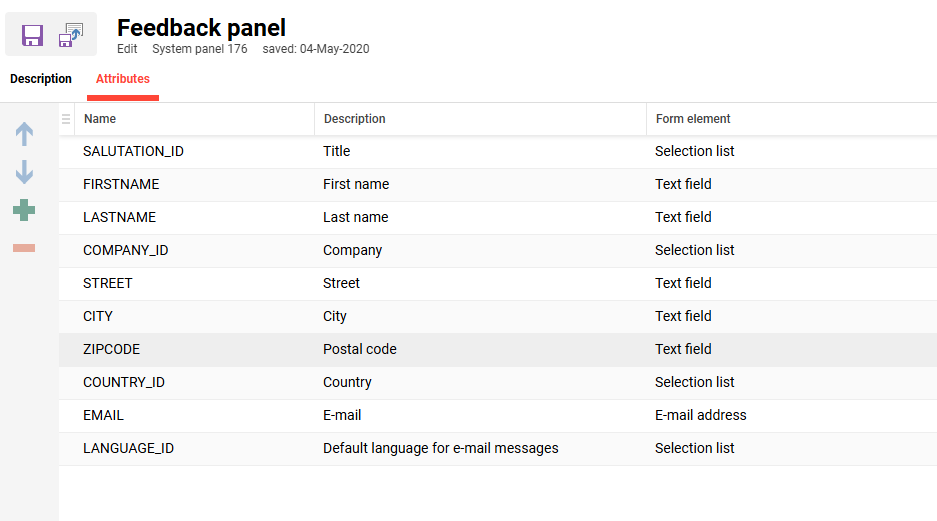
On the tab “Attributes” the personal data can be defined as what the user should give when sending his platform feedback.
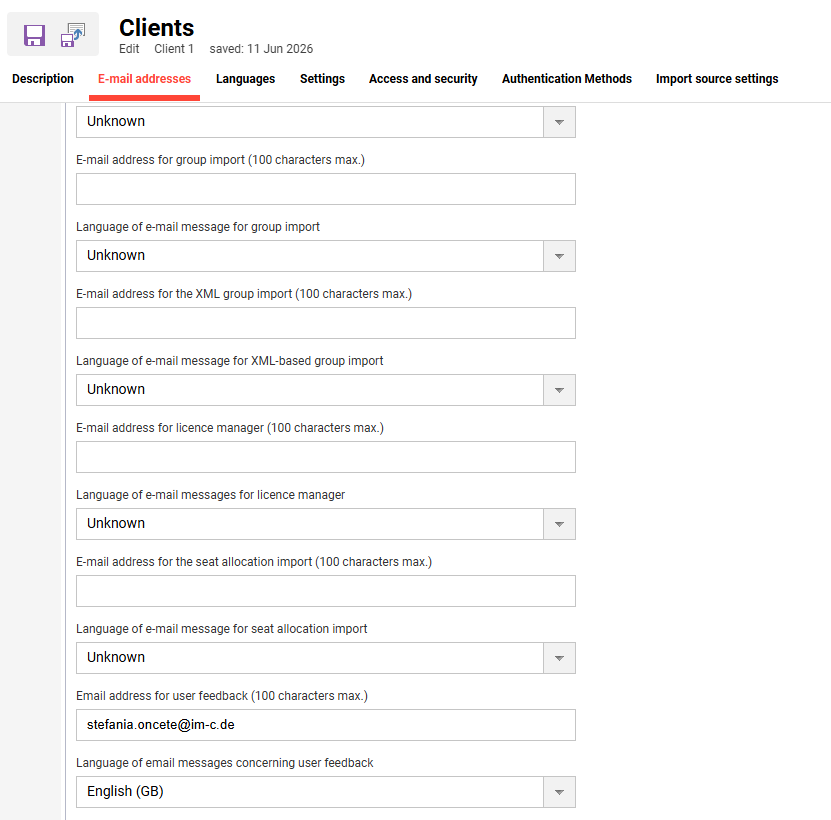
Configuration of the feedback recipient
When the feedback form panel is used for submitting feedback, it is possible to configure at the client level the e-mail recipient who should receive the e-mail.
Intro and signature texts for the feedback e-mail
The e-mail sent out to the configured e-mail address when a user submits feedback can be framed by a header message and a footer message. The following bundles are used for the texts. By default, the footer is blank.
strFeedbackEmailHeaderSignature: Texts displayed as header/introduction of the e-mail
Intro and signature texts for the feedback e-mail
The e-mail sent out to the configured e-mail address when a user submits feedback can be framed by a header message and a footer message. The following bundles are used for the texts. By default, the footer is blank.
-
strFeedbackEmailHeaderSignature: Texts displayed as header/introduction of the e-mail
-
strFeedbackEmailFooterSignature: Signature in the e-mail
Additional notes and limitations
-
Only the specified form element types are supported. Other types of fields are restricted from being added to the panel.
-
There is no possibility to define that certain fields should be mandatory or not. All fields in the form are optional.
-
The configuration is only available for the feedback panel and is not available for the dedicated feedback navigation.
Related Functions