
Offline layouts define the contents and formats of PDF export files which allow to printing of available tests and feedback forms for offline processing. Thus, it is possible to process tests and feedback in a paper format. Once the forms have been processed, results can be entered by tutors or administrators.
Offline layouts define a cover sheet as well as headers, footers, and margins for the PDF export. The respective questions per test or feedback form are added during the export. The offline layout will be assigned to a test or feedback form and included in the export.
Functions of the Offline Layout Manager
New
The core elements of offline layouts are their cover sheets, which are created via an HTML editor. Depending on the layout type (test layout, feedback-form layout) different variables are available to be added to the cover-sheet text and replaced with concrete values when the tests or feedback forms are exported (e.g. name of test, page numbers, etc.).
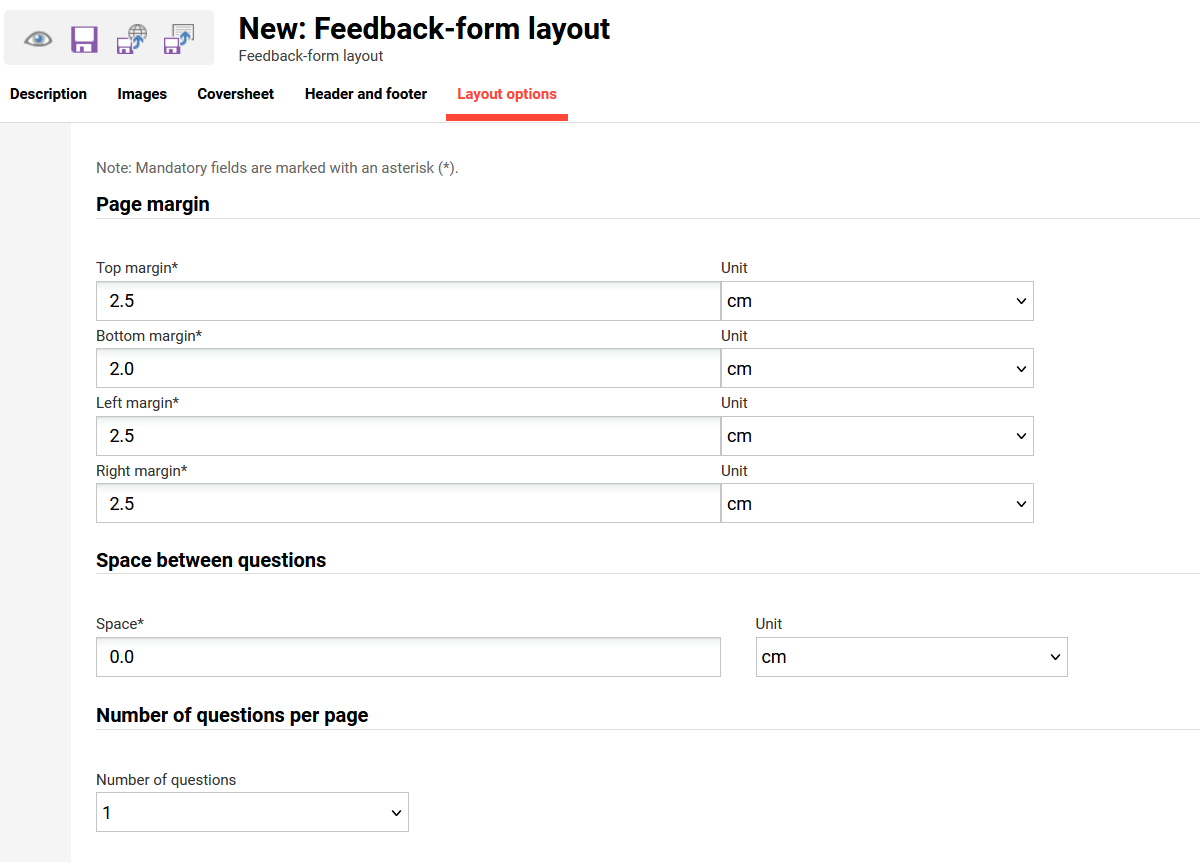
If personal logos are uploaded, they can also be integrated in the cover sheet like variables. To optimise the layout, the paper margins, headers, and footers (also with the HTML editor and variables) can be determined. The number of questions per page and the distance between the questions can also be determined.
Description
On the tab “Description” some administrational information can be given like Name, description, author nad the status of the layout. Only “Active” layouts can be used.
Images
On the tab “Images” the logo can be uploaded with a maximum size of 2000 x 2000 px.
Possible formats are: gif, jpeg, jpg, png
Coversheet
On the tab “Coversheet“ the content can be entered with the help of an editor. Depending which kind of cover sheet is created feedback form or test related placeholders can be used als well as course related placeholders to enter the text for the cover sheet.
Header and footer
On the tab “Header and Footer” the texts for these sections of the offline layout can be entered via an editor also with the help of placeholders.
Layout options
On the tab “Layout options” the page margin, the space between questions and the number of questions per page can be defined.
Duplicate
Edit
Delete
Clearances
Versioning
Global Functions and Related Topics