
Catalogues can be structured to influence the visibility and access to training content.
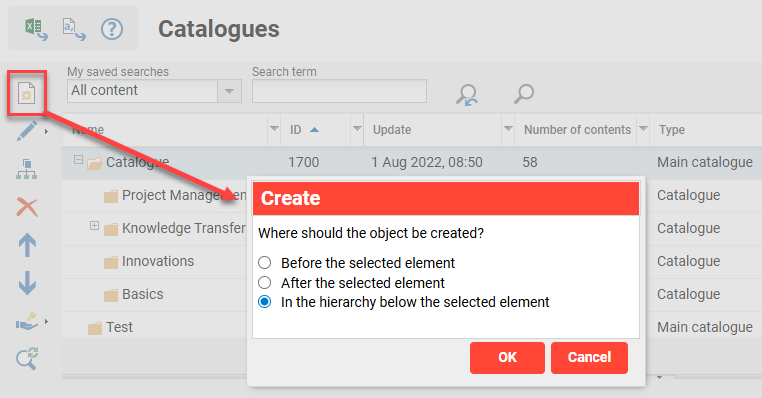
The configuration and administration of catalogue structures can be performed via the Admin category Assignments menu Catalogues function. There are two different types of catalogues that can be created:
-
Main catalogue: Linked to the Navigation and predominantly used for structuring with sub-catalogues created below. Commonly contain no content, or only content intended for all users.
-
Catalogue: Sub-catalogues that are commonly structured by topics or user demographics. The visibility is commonly restricted to specific users or groups using Clearances.
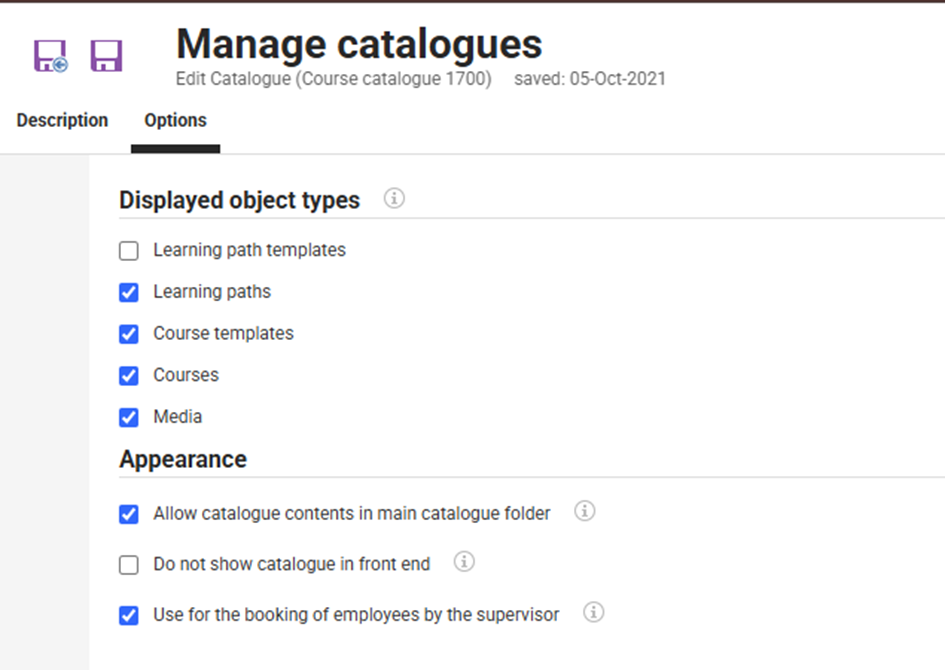
Main catalogues have an Options tab that contains assignment and appearance related checkbox settings. The Display checkboxes determine the object types that can be assigned to the main catalogue and sub-catalogues in the structure. The appearance checkboxes determine if objects can be assigned to the main catalogue at all and if supervisors can view the catalogue structure in the My staff function.
The catalogue structure maximum depth of sub-catalogues is configurable. This limit can be defined in the Configuration function Catalog menu and is defaulted to ‘10’ levels. Here there are also some further non-structure settings that relate to content display.
Clearances and access rights
When creating catalogue structures it is important to configure permissions at each level. The Main catalogue must be assigned in the Navigation function to a ‘Catalogue’ Menu. Access rights must then be granted to groups needing to view the menu. Both the Main catalogue and sub-catalogues will then require Clearances to be granted. Learners will require ‘Execute’ authorisation to view the catalogues in the front end. Administrators will require a combination of ‘Execute’, ‘Edit’ and ‘Release’ authorisation to either edit catalogue structures or assign content.
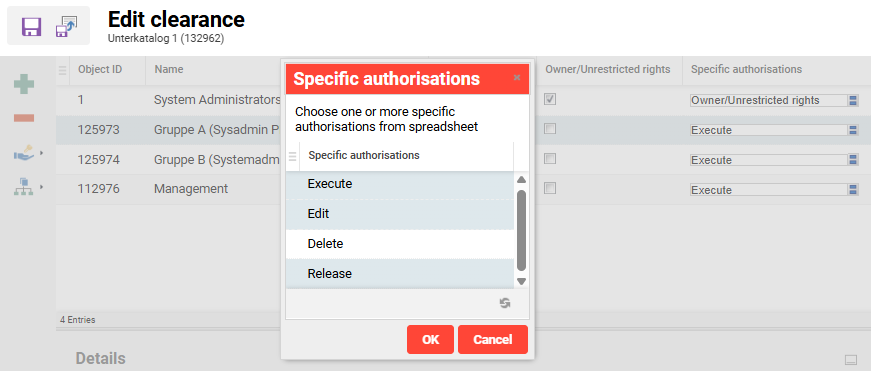
Note: Clearances in catalogue structures would normally be quite broad for Main catalogues and become more granular for nested sub-catalogues.