How to configure the Recommendation Engine
What is the Recommendation Engine?
The Recommendation Engine automatically recommends courses and media to learners based on various algorithms. These algorithms are closely coupled with the SOLR catalogue search, learner training history, their group memberships, objects clearances, and classification-based interests. The results are displayed to learners via a catalogue panel on the dashboard as the recommendations are essentially a catalogue search result. This panel differs to the standard Recommended learning (162) panel or Recommended tab in the Learning Status function that are based on enrolment statuses. The recommendation engine considers topics of interest to provide higher priority to those courses with matching classifications. The Learners, and their Supervisor, can decide which topics have the greatest need for extra learning when adding interests.
Configuration Steps
Enabling the Recommendation engine requires the following basic configurations:
Panel Configuration
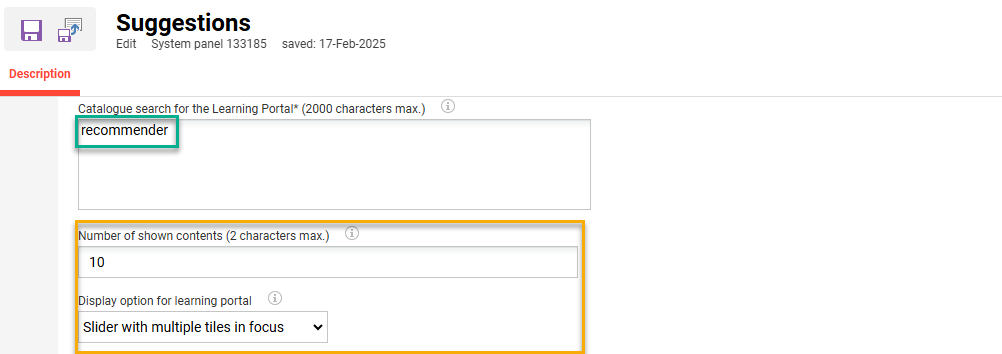
Duplicate the Catalogue panel (ID 171) and in the Catalogue search for the Learning Portal* field insert the term “recommender”. Then set the desired Number of contents shown and the Display option for learning portal setting values.
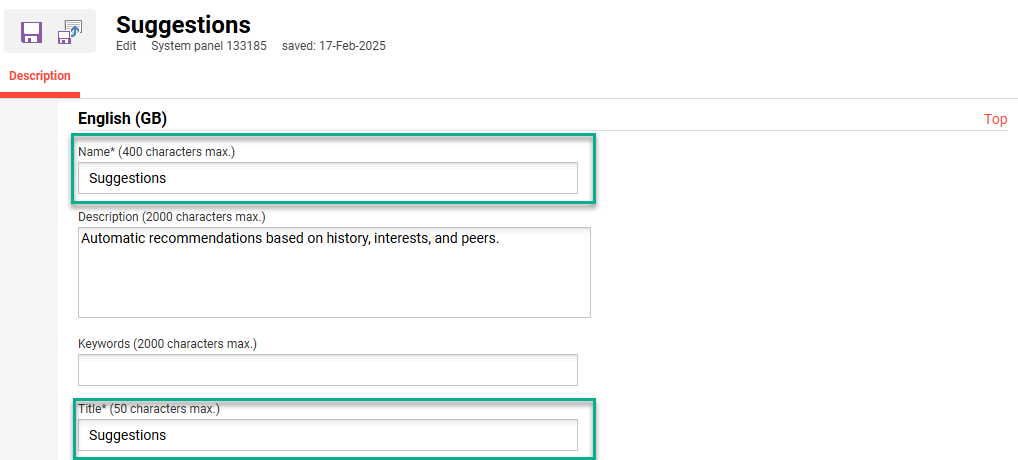
Populate the Name* and Title* fields as required; e.g. Suggestions. Then click Save and Close button.
Interests Profile Attribute
Learners can be enabled the possibility to select their areas of interest via an attribute on the user profile. This is configured in the Settings category User data management structure Profiles menu. Edit the Frontend profile, go to the Categories and attributes tab, click the Add icon, search for the “Interests” (REC_INTERESTS) attribute, highlight and then click the Add button.
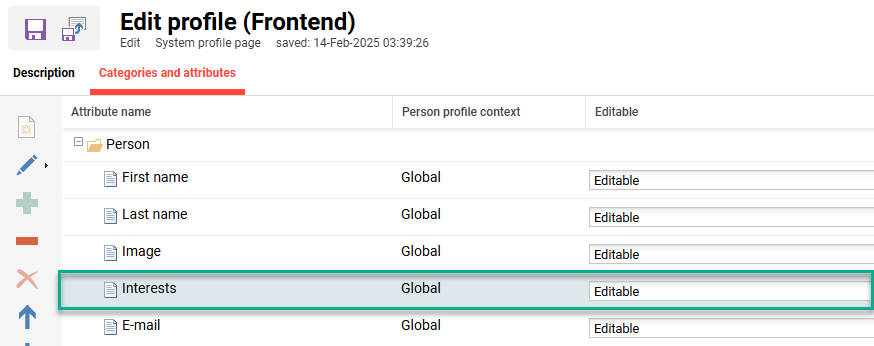
The attribute can also be added to the Backend and Supervisor profiles to enable viewing or further editing.
Note: Users will require clearance to classifications to view them in the Interests attribute on the frontend user profile.
Classifications
When enabling the Interests attribute there will need to be an existing Classification structure for learners to select their topics of interests from. The top-level Classifications in the Settings tab has Courses, Media and Enable Classification for Courses checkboxes that must be ticked.
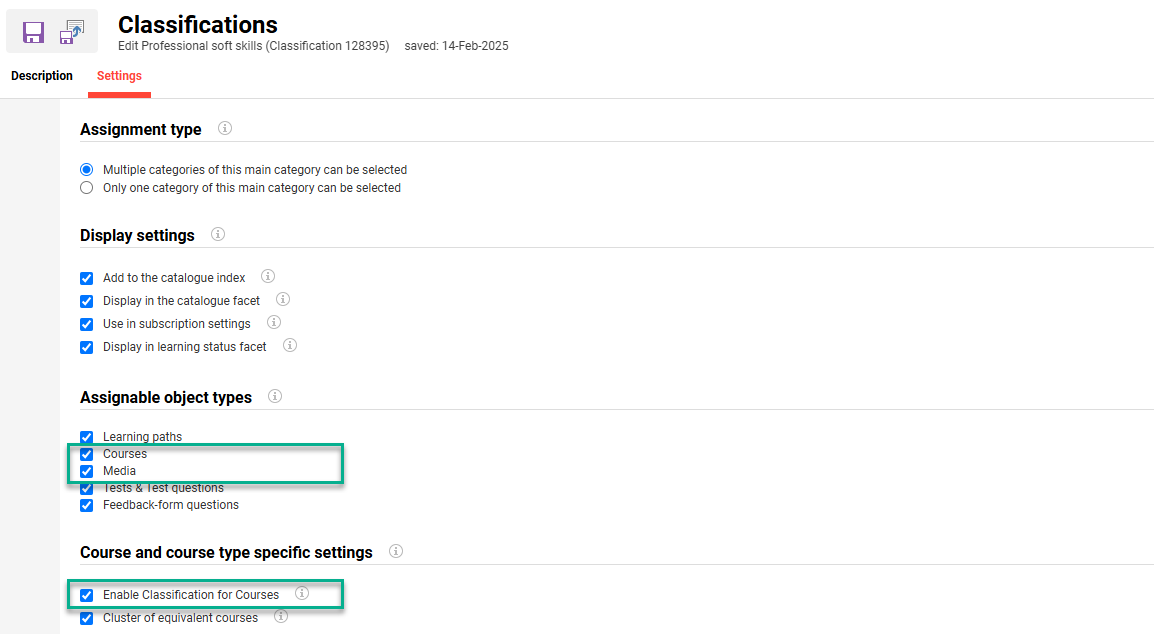
Execute Clearance will also need to granted to required Learner groups from each sub-classification. It’s a good idea to also ensure existing Courses and Media assigned to catalogues also have Classifications.
Add the new Panel to an Internal Dashboard
To finalise the Recommendation engine setup simply add the new panel to an internal dashboard. The panel will automatically display recommended course and content suggestions to learners.
Algorithm Logic
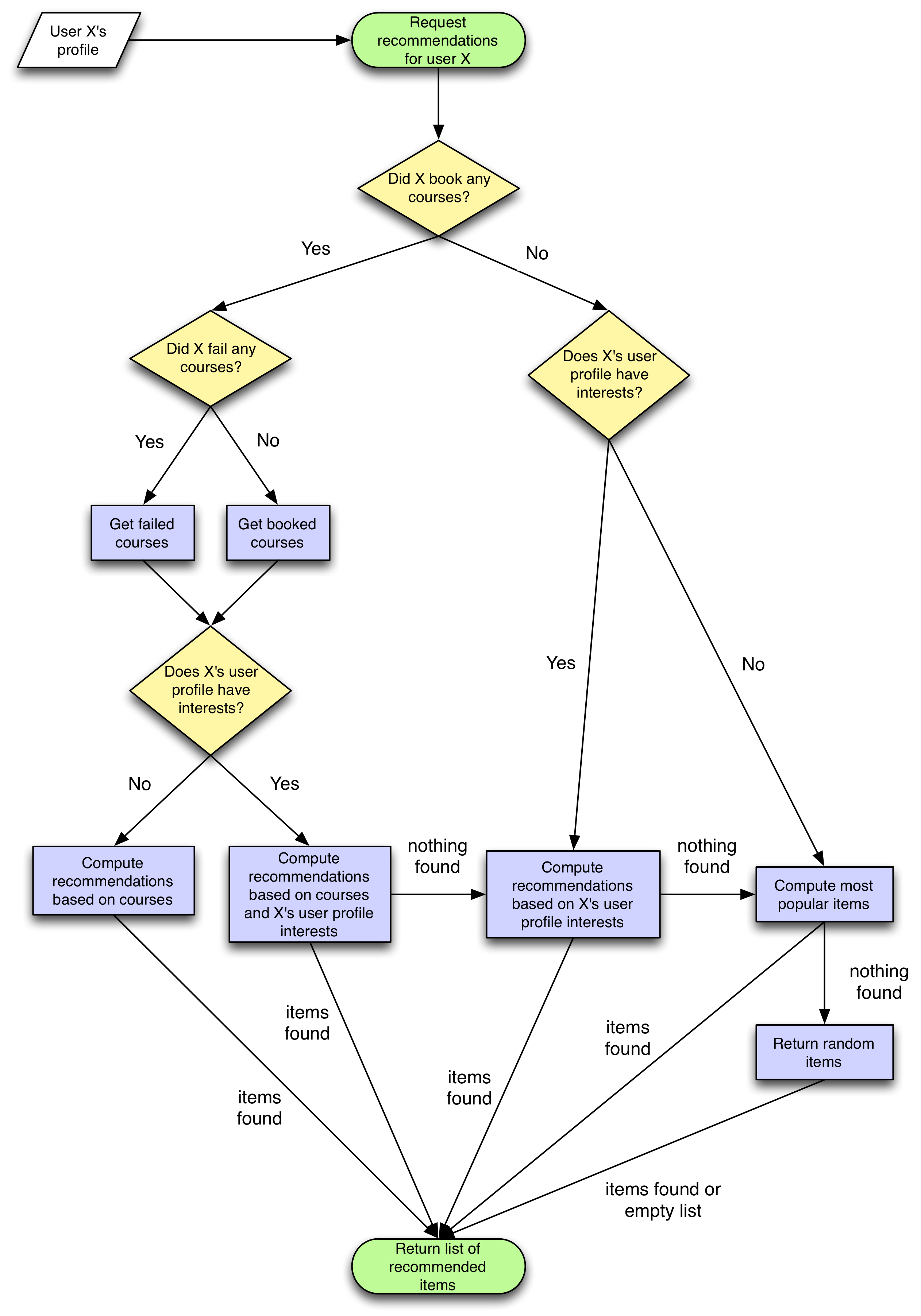
The Recommendation engine algorithm considers course history, interests, and popular items based on similar groups.
-
Courses: Course-based recommendations are provided based on learning history and other popular content completed by users in the same groups. The algorithm based on course history does require the learner to already have some assigned courses.
-
Interests: The interests are mapped to classifications linked to courses and media. Interests-based recommendations are only provided if the learner has flagged some topics of interest in their user profile and the catalogue contains objects with matching classifications.
-
Popularity: The popularity strategy returns the most popular items based on whether users have booked the course or put the resource on bookshelves. This strategy is the fallback option if no other strategies can return results.
The algorithm prioritises recommendations based on the following order:
-
If the logged in user doesn't have any assigned or failed courses and HAS interest, Then the recommender panel shows recommendations based on the InterestRecommendation strategy.
-
If logged in user has booked courses, has failed courses and HAS interests, BUT has no media or courses in the catalogue that have the same classifications as the user interest, Then the recommender panel shows recommendations that are displayed on the panel based on the CourseRecommendation strategy.
-
If logged in user has booked courses, has failed courses and NO interests, Then the recommender panel shows recommendations that are displayed on the panel based on the CourseRecommendation strategy.
-
If logged in user doesn't have any assigned or failed courses and doesn't have any interest
Then the recommender panel shows recommendations that are displayed on the panel based on the PopularityRecommendation strategy