
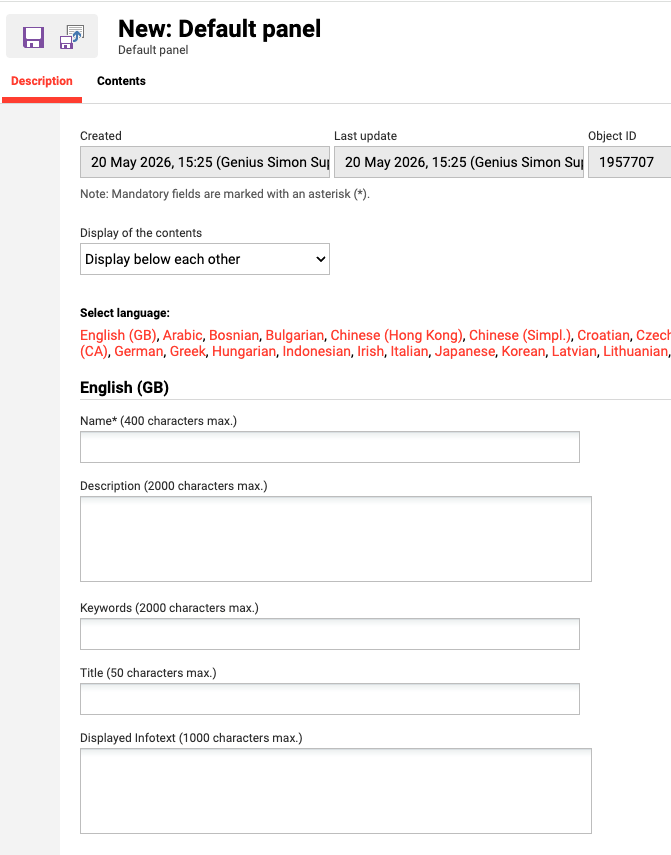
ID = Depending on the selected Default Panel
There are three default panel types: Header (ID=167), Teaser (ID=168), and Info (ID=170). All three panels are derived from the Default panel. Each panel can accept text, images, and media content such as videos, files, and links. However, files and links are only supported in the "below each other" display mode. Additionally, the default panel labeled "TEASER" does not support HTML or CSS styling.
Panel Settings
Notes
-
The Slider Panel is an enhanced display for page header images. It is recommended to use the Slider Panel instead of the Header panel.
Contents
The Contents tab lists the individual content entries added to the panel. A panel can contain multiple entries, and the toolbar next to the list is used to add, edit, or delete an entry, and to change its position with the move up and move down actions. The order of entries in the list determines the order in which they are displayed in the panel.
Each entry in the list shows the following information:
|
Information |
Description |
|---|---|
|
Type |
The type of content the entry contains. Text element and Image are maintained directly on the entry. Content is a reference to an item uploaded via the Media Manager, for example a video. |
|
Name |
The name given to the entry. |
|
Active languages |
The languages for which the entry has content defined. |
|
Show until |
The date until which the entry is displayed in the panel |
|
Last update |
The date the entry was last changed. |
|
Update |
Determines whether the panel displays the latest version of the entry's content or the version that was originally added. Only available for entries of type Content. |
Related Functions