
Technical updates to underlying architecture and security features are listed below:
Technical Updates
Real-time Data Connector Status
Overview: The Data Connector function job list will now refresh status indicators every 5 seconds. This means a full page reload is no longer required to see the current state of scheduled, running, or completed jobs.
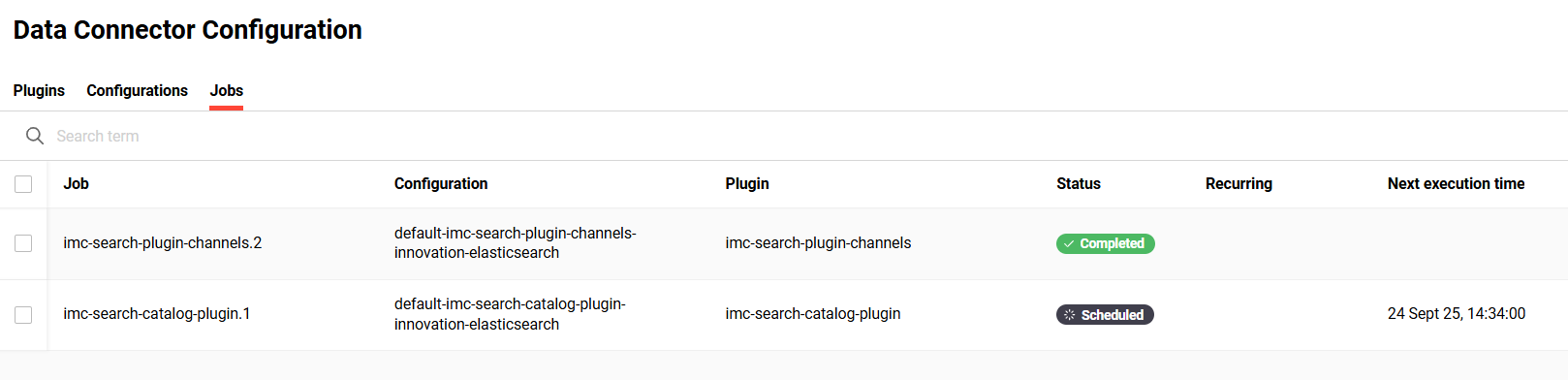
Benefits and Use Cases: Administrators can now monitor data connector jobs with automatic status updates. Benefits of the automatic refresh include:
-
Eliminating the need for manual page refreshes to track job progress
-
Providing immediate visibility into job failures or completions, allowing for faster response times
-
Enhancing the administrative experience by maintaining filters and scroll positions during updates
Audience: System administrators
Setup & Access: No configuration is required as the change is automatically applied.
Considerations & Limitations: Requires the Data Connector function to be configured in the navigation.
Testing: This function is mainly intended for Scheer IMC Technical Administrators. Testing can simply be achieved by accessing the Data Connector function to view status updates without page reloads.
Risk rating: Low
Bulk Enrolment Optimisation
Overview: The bulk enrolment algorithm has been completely reworked to improve performance. The main change is decoupling email notifications from the enrolment process, ensuring that large-scale registrations are never delayed by mail server response times. This means enrolment messages are now processed asynchronously. Further updates include eliminating repeated statements, reducing unnecessary select statements, and improving portfolio insert statements.
With asynchronous processing (until now synchronous) certain settings in the Configuration function Enrolment menu have been removed. These are the checkboxes in the Stop on mail exception section which only make sense with synchronous processing.
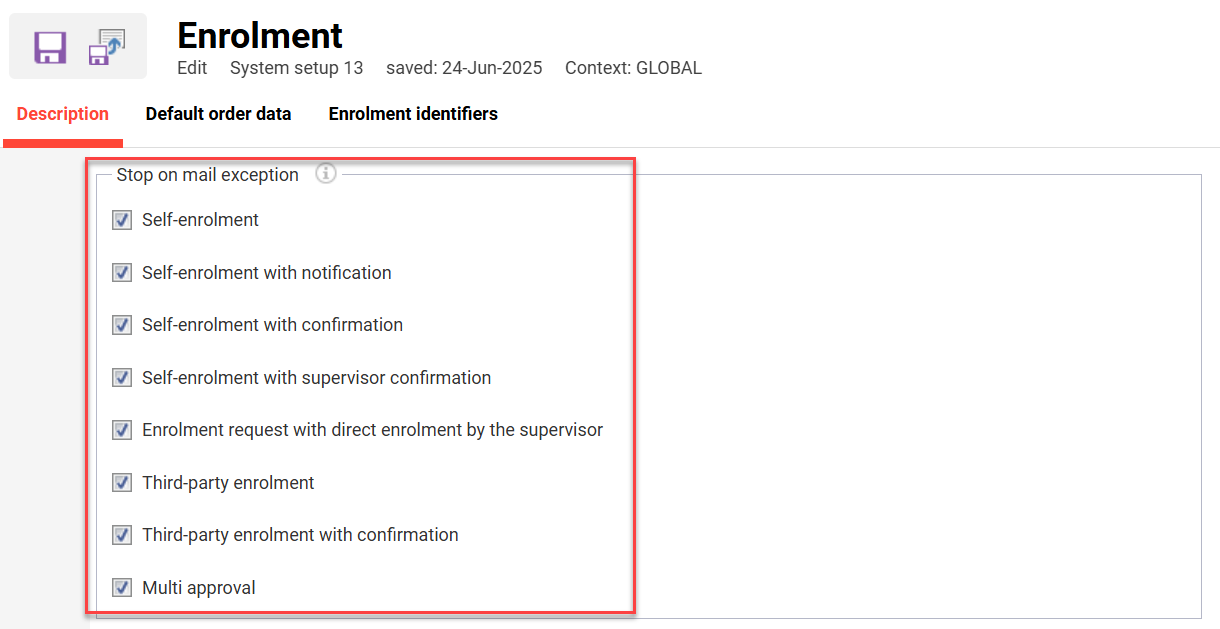
One more setting is removed (MIME type): the option to send enrolment and escalation messages as plain text. These are HTML only now, and existing message texts are migrated automatically with the update.
How Mail Delivery Works now
Every mail the system sends, whether triggered by an enrolment, a reminder or a notification, is first stored, then sent shortly after by the system in the background. This always happens; no setup is needed for it. If sending fails temporarily, for example because the mail server was briefly unreachable, the system retries automatically. If it keeps failing after several attempts, the mail is marked as failed and its error details are kept, so it can be found and looked into rather than being lost silently.
Platforms where Kafka (optional) is set up, and only there, the system stores every mail that was sent successfully so that external tools can consume that information, with its own retry mechanism for publishing to Kafka. Kafka does not send mail itself and is never required for mail to go out; it only receives a record of mail that already went out through the usual path.
Benefits and Use Cases: Administrators can now perform large-scale bulk enrolments using true batch processing. Benefits of the update include:
-
High-speed performance for bulk user enrolments across multiple courses simultaneously
-
A slow or unavailable mail server can no longer block registrations
-
Enhanced system stability by processing emails asynchronously, preventing registration blocks
-
Performance stays steady as participant numbers grow
-
Mails that fail to send are retried automatically and stay visible with their error details, instead of getting lost
Audience: Administrators
Setup & Access: No setup is required. The new mail delivery and the faster enrolment algorithm are activated automatically with the update. As part of the changes to mail delivery, the notification handling has also been adapted accordingly. A new scheduled job, Mail Cache Cleanup, removes mail data older than one day. Kafka remains disabled unless it is already configured on the system; mail delivery does not depend on Kafka.
Considerations & Limitations: Some considerations of the update include:
-
The new internal process for generating mail content also required changes to the way custom notifications and related custom code are handled. The corresponding notification mechanisms have therefore been adapted as part of the update.
-
Sending an enrolment message can take noticeably longer than completing the enrolment itself.
-
The achievable registration throughput depends on the underlying system architecture.
Testing: This update is mainly to improve efficiency in handling larger payloads. However, all customers are strongly advised to test regular enrolments for courses and learning paths. This would be to confirm enrolments are correctly occuring and that your enrolment messages are sending. Systems with customised notifications or placeholders should test every one of them individually.
If your system contains code customisation, especially with notifications, please perform detailed testing on your Stage environment prior to updating Production.
Risk rating: High
Login Process Optimisation
Overview: The system login process has been streamlined by reducing redundant requests and offloading non-critical background tasks to asynchronous processing.
Benefits and Use Cases: This update delivers a quicker transition from the login page to the home screen. This update will benefit users by:
-
Accelerating access to the LMS by reducing waiting times
-
Improving system responsiveness, especially during high-traffic periods
-
Ensuring technical background updates no longer block user entry
Audience: All users
Setup & Access: Not required
Considerations & Limitations: Standard
Testing: No testing is required other than ensuring all login options work as expected.
Risk rating: Low
API Endpoint: Classifications for Course Templates
Overview: A new API endpoint to assign or remove classifications for course templates. This update can enable seamless metadata synchronisation between the imc Learning Suite and external systems without manual steps that were previously required.
Benefits and Use Cases: As an administrator using API-authentication, you can now add classifications to course templates. The use of the API endpoint can deliver benefits including:
-
Eliminating manual classification tasks, saving significant administrative time
-
Ensuring consistent data across systems through automated synchronisation
-
Speeding up the course preparation process for faster content delivery
Audience: Technical administrators
Setup & Access: Not required. The new API will be available to use and documented in Swagger.
Considerations & Limitations: Edit access rights for Course templates need to be available for the technical user. Clearance for Classifications is also considered. Using the API to add a Classification will trigger a new version of the Course template.
Testing: Test case not considered as this a technical topic. Check Swagger for latest API possibilities.
Risk rating: Low
System-wide Updates
Removal of Design Toggles for Navigation and Learning Status
Overview: The Navigation and Learning Status function can now only use the React design. This is following the removal of the Activate the new navigation checkbox and Activate the new Learning status checkbox when editing a design. This change was pre-advised in IP28 and all designs still running Angular will automatically switch to React.
Benefits and Use Cases: Functionality of the Navigation and Learning Status remain unchanged as the update only affects the visual layout.
Audience: All users
Setup & Access: Customers who were previously using the Angular view will automatically transition to React. There are no configuration changes required and no longer an ability to switch to Angular.
Considerations & Limitations: Standard update on all systems. Please note that this functionality is available only for clients using the new architecture.
Testing: No testing is required. If unexpected behavior is detected or assistance is required, please contact the Scheer IMC Support Desk.
Risk rating: Low
Improved Keyboard Accessibility for Tab Navigation
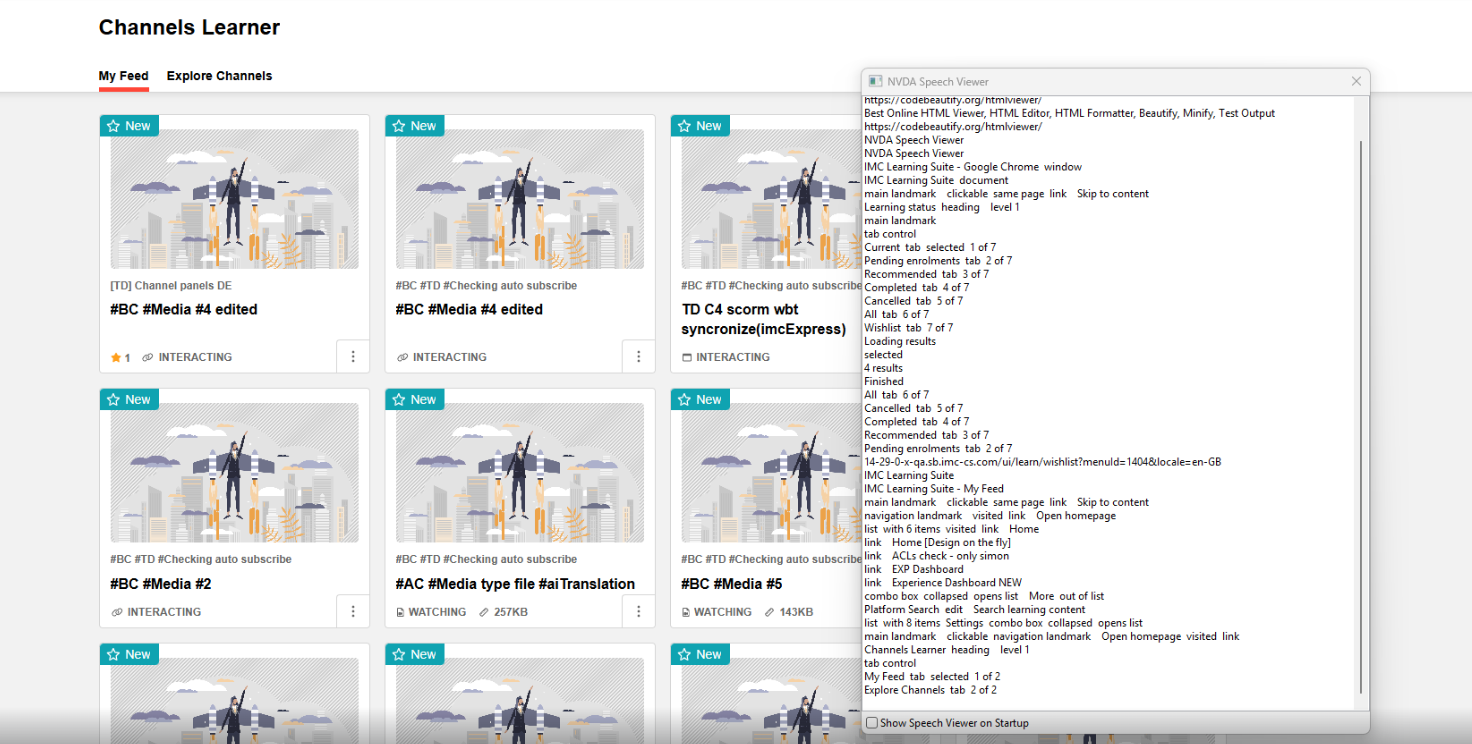
Overview: Learners can now press the Left or Right keyboard arrow keys to navigate between tabs in React design functions. Pressing the Tab key will then jump directly from the active tab into the first focusable element in the tab's content area. The improvements include:
-
Keyboard Navigation: Tab and Arrow keys navigation implemented for moving between tabs.
-
Tab Return: Shift + Tab keys to move focus back from the content area to the active tab.
-
Active Tab Accessibility: Active tab is now read as selected and is the only tab focusable via Tab key.
-
Disabled Tabs Accessibility: Disabled tabs are now read as unavailable and are reachable only when a screenreader is open, using arrow up/down keys.
Benefits and Use Cases: The updated keyboard navigation benefits include:
-
No longer having to tab through every tab option to move between tabs; instead the arrow keys handle tab switching in one or two keystrokes.
-
Keyboard-only and accessibility tool users can navigate tab-based pages significantly faster.
-
Separation between tab switching (Arrow keys) and content navigation (Tab key) makes the interaction model more predictable.
Audience: Keyboard-only and accessibility tool users
Setup & Access: Not required as the change is automatically applied.
Considerations & Limitations: The update is only implemented for functions that utilise the React design framework. Some learner functions such as Job Profiles and Skills still use Angular.
Testing: To test you first need to access a React page with multiple tabs such as the Learning status, Channels, Badges, and Global search functions. You will need to focus on a tab before the arrow keys become active; this can be done either by clicking on it or by tabbing through the page until the active tab receives focus. Once the active tab is focused, you can use the left/right arrow keys to navigate between tabs. After using the arrows, pressing Shift+Tab keys will return focus to the last active element (the active tab), and pressing Shift+Tab keys again will move backwards through the tab order as expected. Pressing Tab will move focus forward to the next focusable element as expected.
Risk rating: Low
Security Findings (Other)
Overview: There have been no security fixes in Innovation Pack 29 that created an impact to existing functionality.