
Featured highlights are commonly innovations that either deliver entirely new functionality or deliver important updates to existing functions. The featured innovations of this release are listed below:
ReviewGuard Channel Moderation
Overview: Channel reviews can now be moderated through a new Manage reviews functionality. The moderation can either be completely manual or assisted with AI. The optional AI-powered moderation automatically flags potential etiquette violations for manual review. New notifications alert administrators of potential violations and the original user via a new notification.
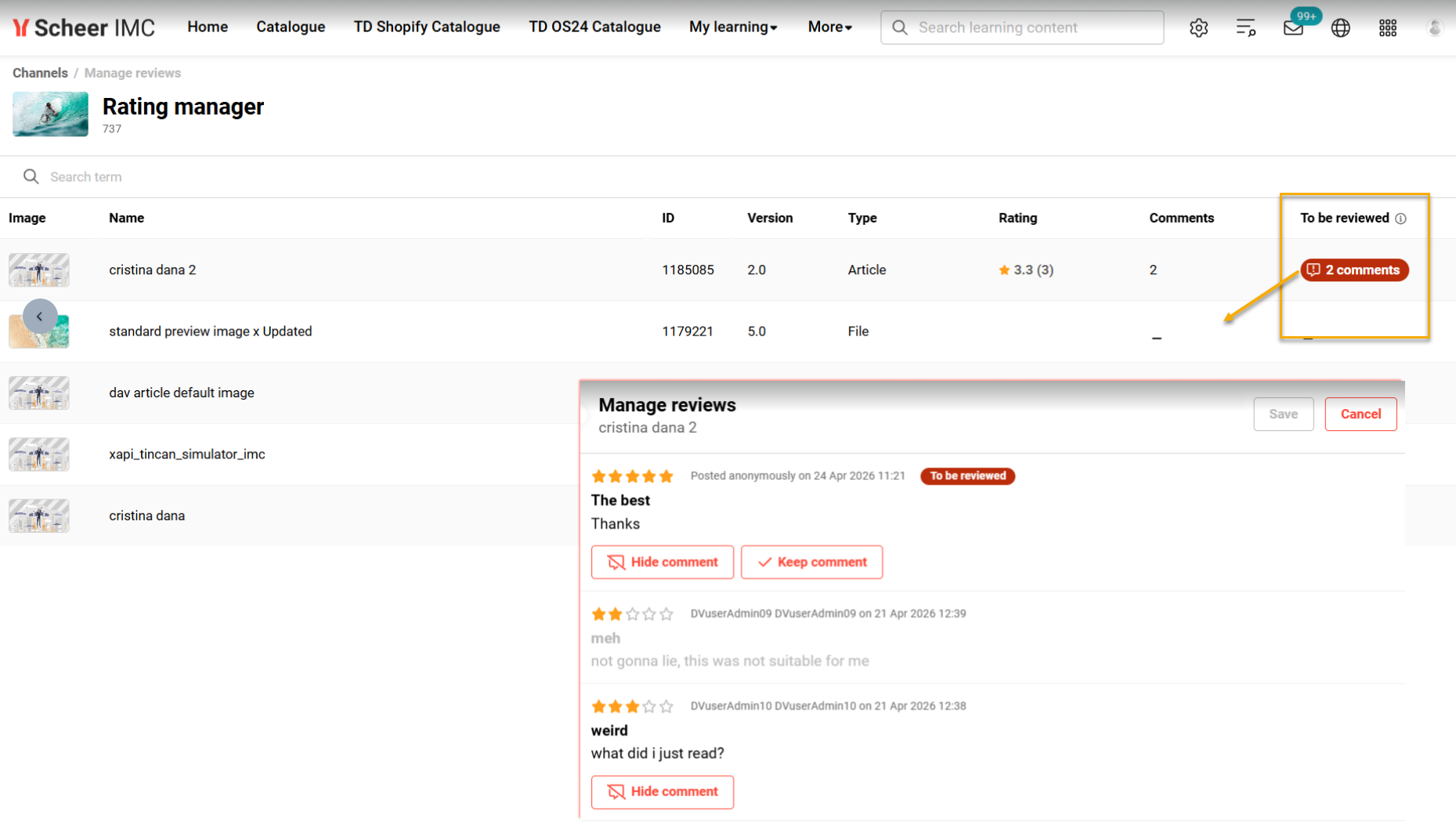
Benefits and Use Cases: As an administrator you can now hide inadmissible content to ensure it is no longer visible to learners. The benefits you can expect with the update include:
-
Ensuring compliance with legal and ethical regulations by removing inadmissible content
-
Simplifying moderation with AI-driven flagging of potentially harmful comments
-
Improving community safety by quickly hiding inappropriate or illegal text
Audience: Channel administrators
Global Search Updates
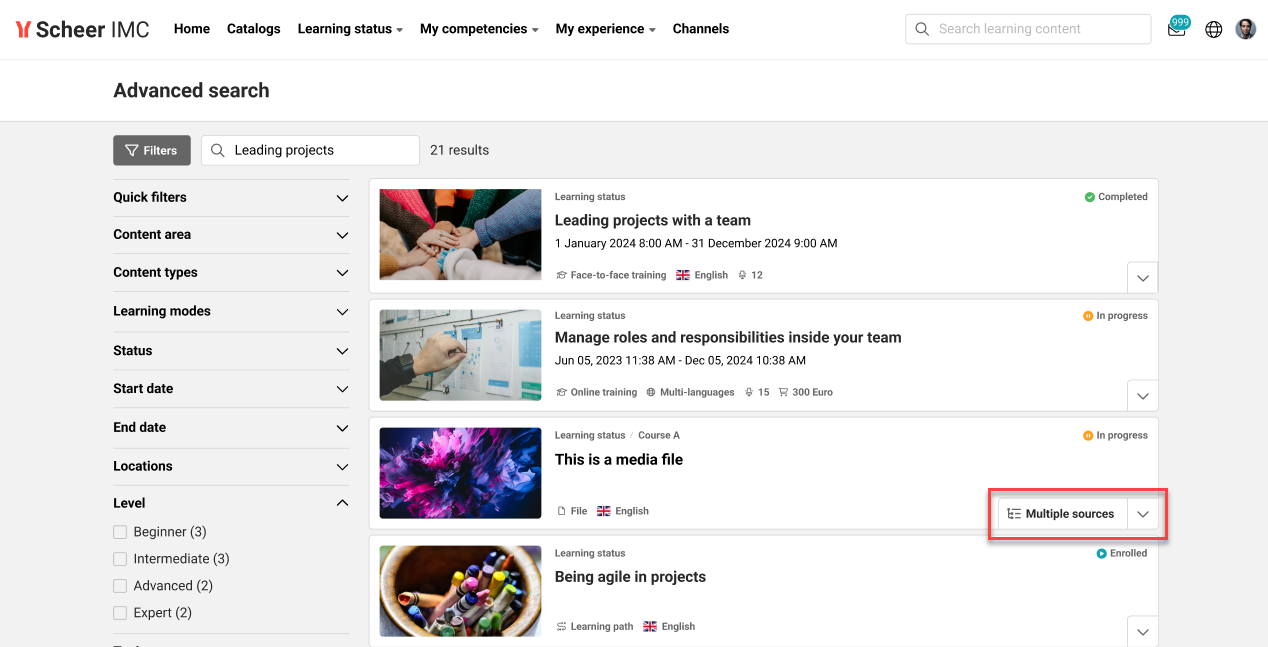
Overview: The Global search received multiple updates to deliver a combination of enhanced user experience and performance improvements. From a learner perspective there is improved language handling for multi-language content, simplified display for multiple sources, and improved suggestions when there are no results. In terms of performance improvements the indexing of semantic search has largely improved and searches can now query replica databases.

Benefits and Use Cases: The updates deliver your learners seamless user experience and improved accessibility where there are multiple languages and content sources. This will help ensure your learners receive the most relevant content without duplicated results. Where there are no results for the entered search term the system will provide on guidance to improve the search.
Audience: Learners
Media Page Redesigns with React
Overview: All media pages have undergone a significant update to improve the UI and UX for learners. The changes impact media pages when accessed via a course, a catalogue, or the bookshelf. These changes can initially be enabled via a new setting in the Design function to allow you to pre-test changes.
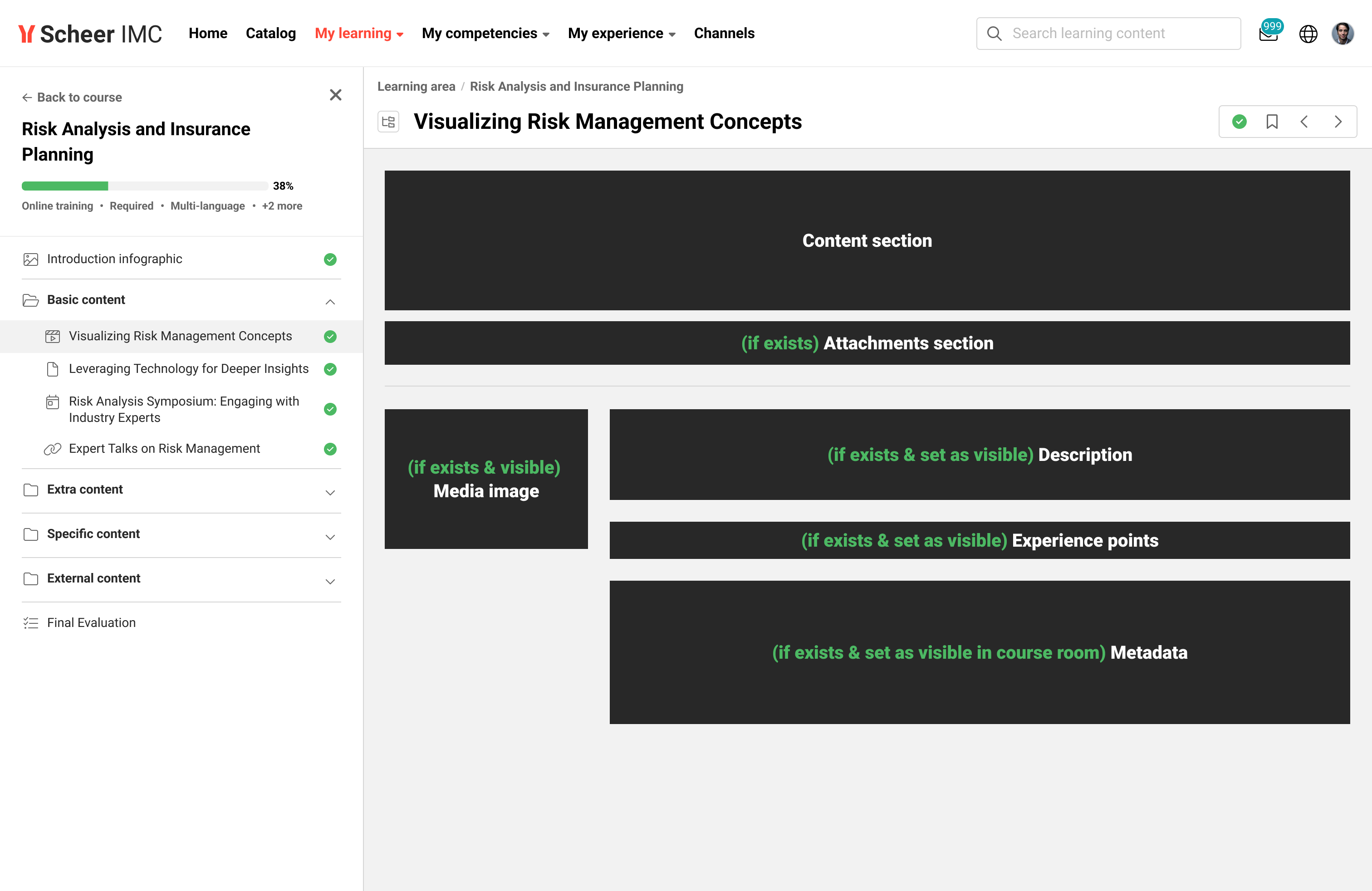
Benefits and Use Cases: This very large project benefits the learner experience by:
-
Improving learner experience through a modernised UI and UX
-
Enhancing content overview with a new playlist component
-
Clearer progress tracking and easier navigation within courses
-
Flexible activation via simple opt-in/opt-out for administrators
-
Improving security with React framework
Audience: Learners