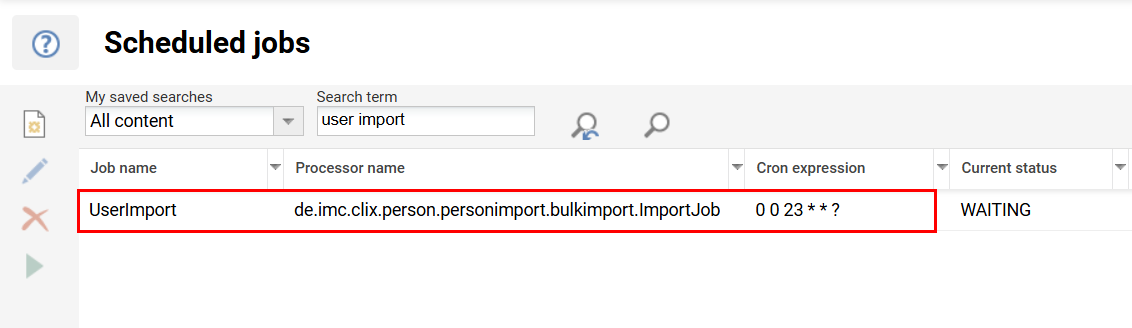
User import planning allows to schedule the creation and update of user. The import requires a .xml-file to map information to (system) attributes, the .csv file with the import data and an optional .xml-file for registration rules. In case the import is scheduled to be daily, weekly or monthly, a Userimport CRON job needs to be configured.
-
The attribute mapping defines the structure of the csv file to be imported and assigns the column names to the attribute names
Required fields
User attributes that are stored in the system as mandatory fields must also be used in the mapping. e.g
-
LOGIN
-
FIRSTNAME
-
LASTNAME
-
EXT_ID_CSV
-
EMAIL
Example attribute mapping: Attribut_Mapping.xml
-
The CSV user import file with all user information
Example: userimport.csv
-
Registration rules (if required must be deposited in the client file)
Example with assignment of gender: rules.xml
-
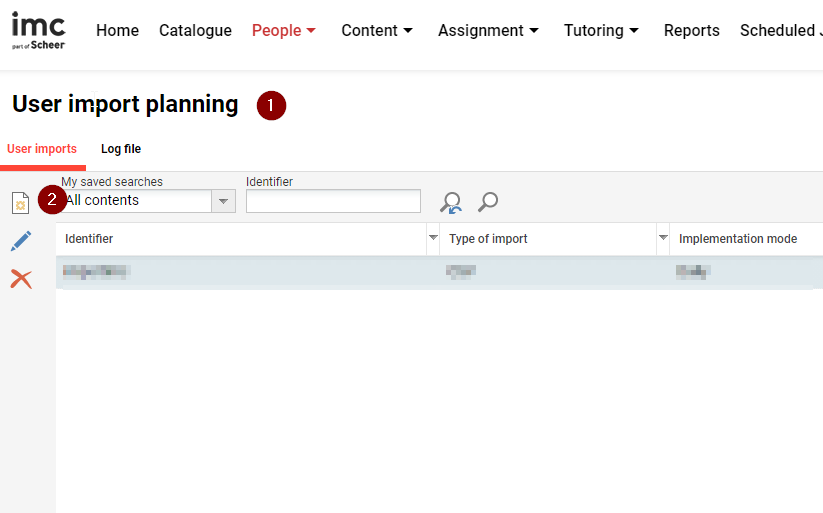
Log in to your system with an admin account and open the User import planning function (1) and create a new entry (2).
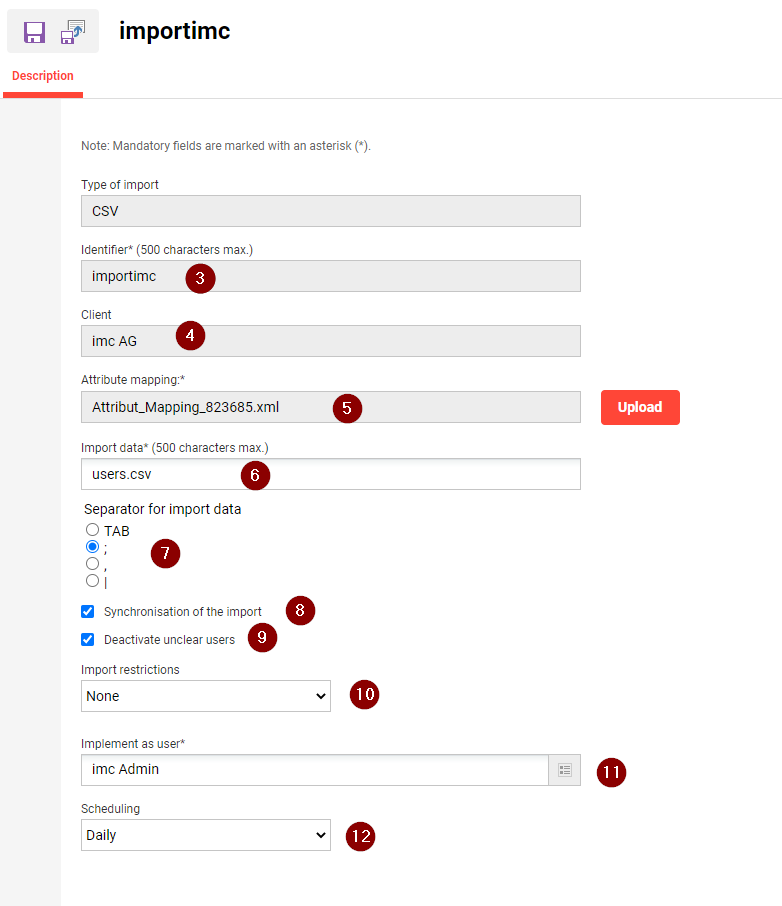
Now you have to store all the information for the import:
(3) Identifier
(4) Client for the import
(5) the attribute mapping must be uploaded here
(6) Name of the .csv import file
(7) Separator in the .csv import file
(8) Synchronisation of the import (if a user is no longer included in the import file, it will be set to passive)
(9) Deactivate unclear users (if a user is included twice, it is set to passive)
(10) Import restrictions (should a user only be created or also updated)
(11) System user that performs the import (may not be deleted)
(12) Scheduling (Daily, Weekly, .....)
-
A new directory is now created on your server under data\person\personimport\Identifikator\source. You must store the .csv import file there.
-
Depending on the configuration of the user import job, the import is carried out daily; you can view/change the exact time via the Scheduled jobs function.