
Featured highlights are commonly innovations that either deliver entirely new functionality or deliver import updates to existing functions. The featured innovations of this release are listed below:
External Dashboard Design Modernisation
Overview: External dashboard pages have been updated to support the redesigned React-based panels. Additionally, a newly introduced External Page type provides an enhanced editor with grid-based layout capabilities and newly supported panels, such as slider and in-page panels. The update brings external dashboards in line with internal dashboard functionality.
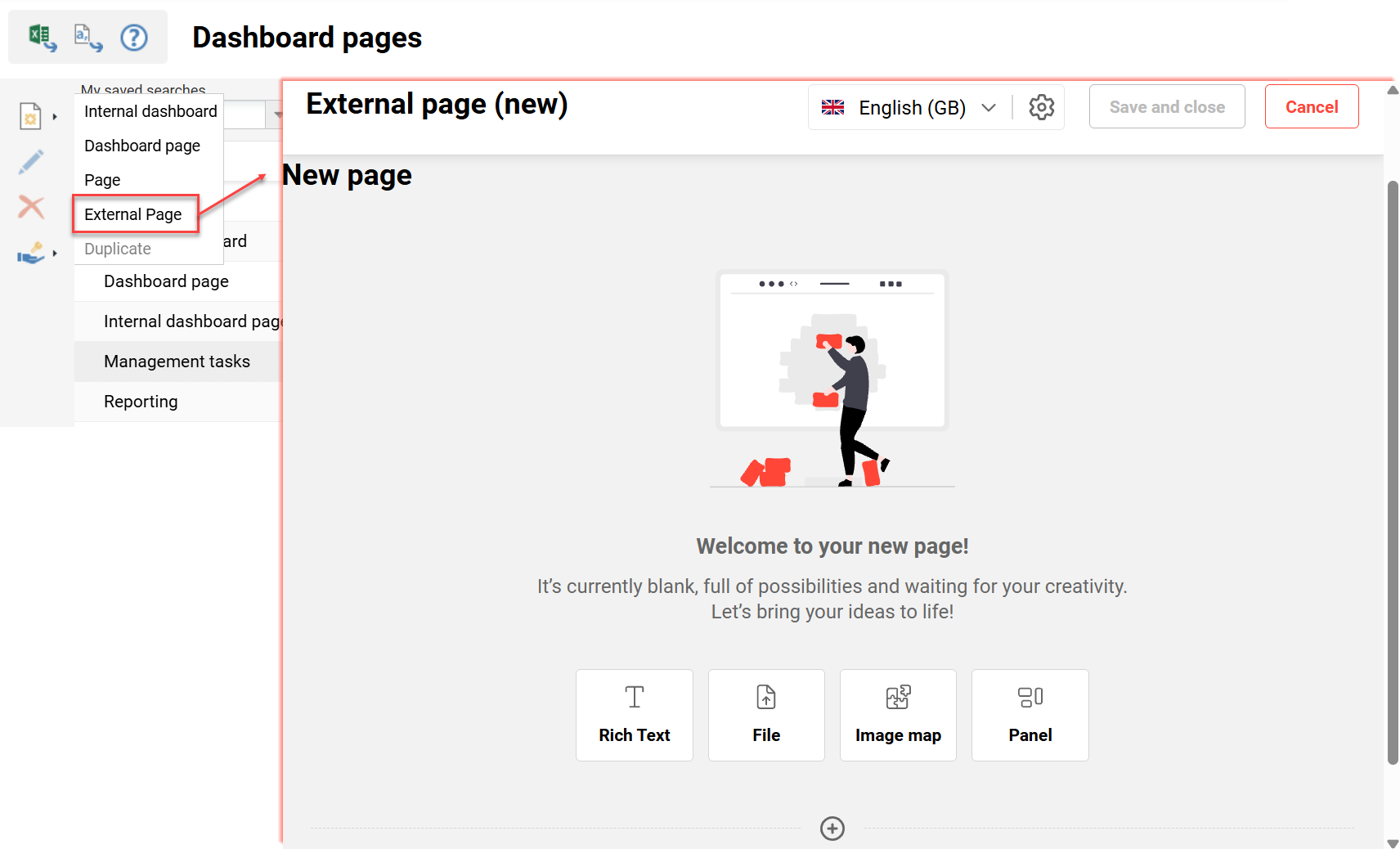
Benefits and Use Cases: As an Administrator, you can now opt-in to use React-based panels on existing dashboard pages, or recreate dashboards with the newly introduced “External Page” type. This important update delivers benefits including:
-
Existing Dashboard pages (external) can be upgraded via opt-in, enabling React adoption without a full rebuild. This delivers improved designs and security in line with today’s standards.
-
The new External Page type makes creating external pages more flexible and intuitive.
-
External Pages support additional panel types (In-Page Panels, Image maps, and Slider Panel)
-
Enable richer page designs with multi-column layouts
-
Audience: System administrators
All Dashboard Panels now Support React
Overview: With this important update, all remaining system panels have now been transferred to support the React design framework. This brings the end to a large development project to not just transfer to React, but also to redesign over 100 standard panels.
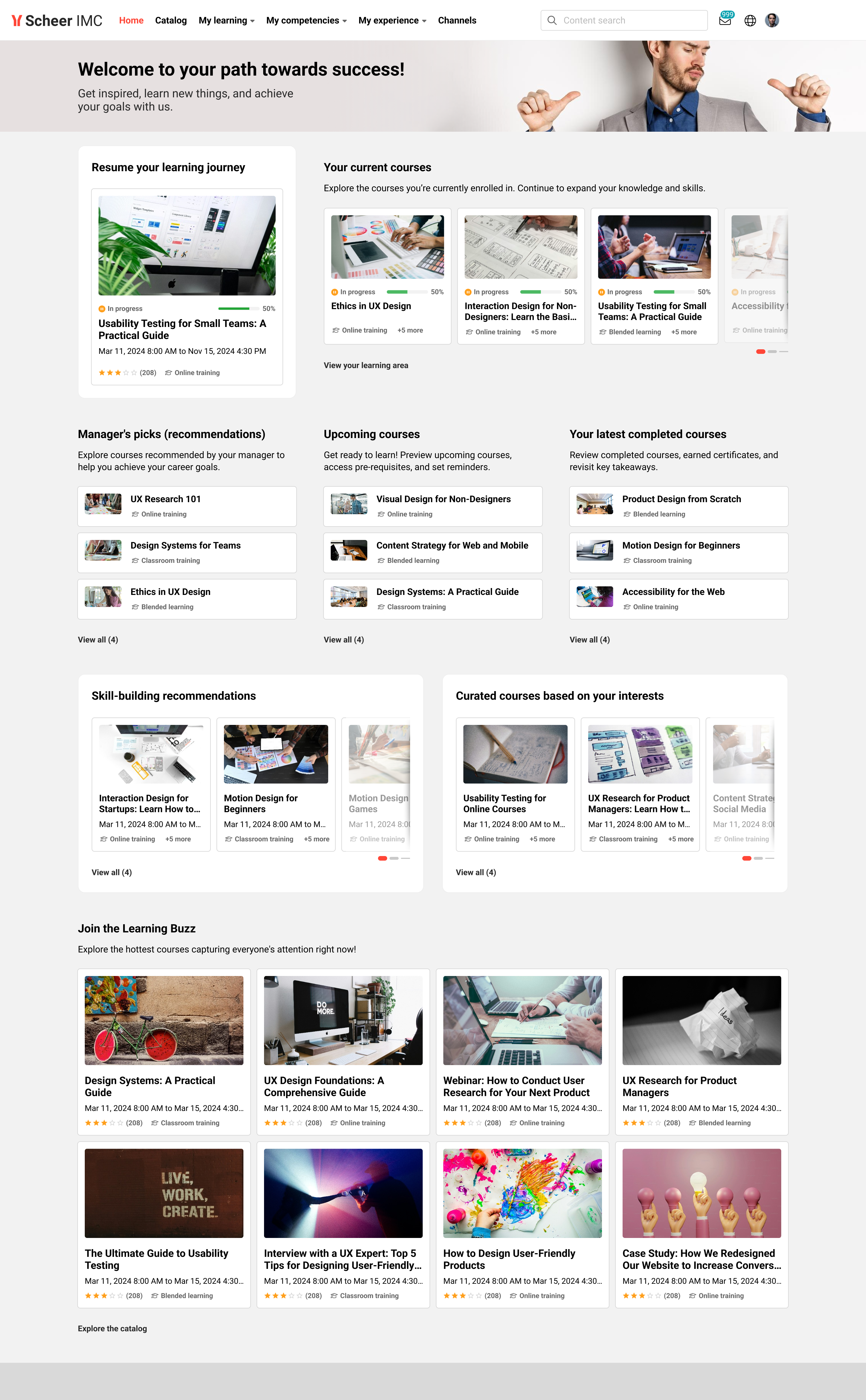
Benefits and Use Cases: The transformation of all panels to React delivers updated layouts, improved design options, and enhanced security. This update now enables the possibility of all internal and external dashboard pages to utilse the new dashboard & panel design.
Audience: All users
Easy Course Creation Modernisation: Multi-language Support
Overview: The Easy Course Creation function now supports multilingual course creation and management. This means that course templates with multiple languages can now be selected when creating a course. Likewise, further languages can be added during creation and you can maintain language-specific content. This removes the reliance on the backend Courses function for advanced course editing.
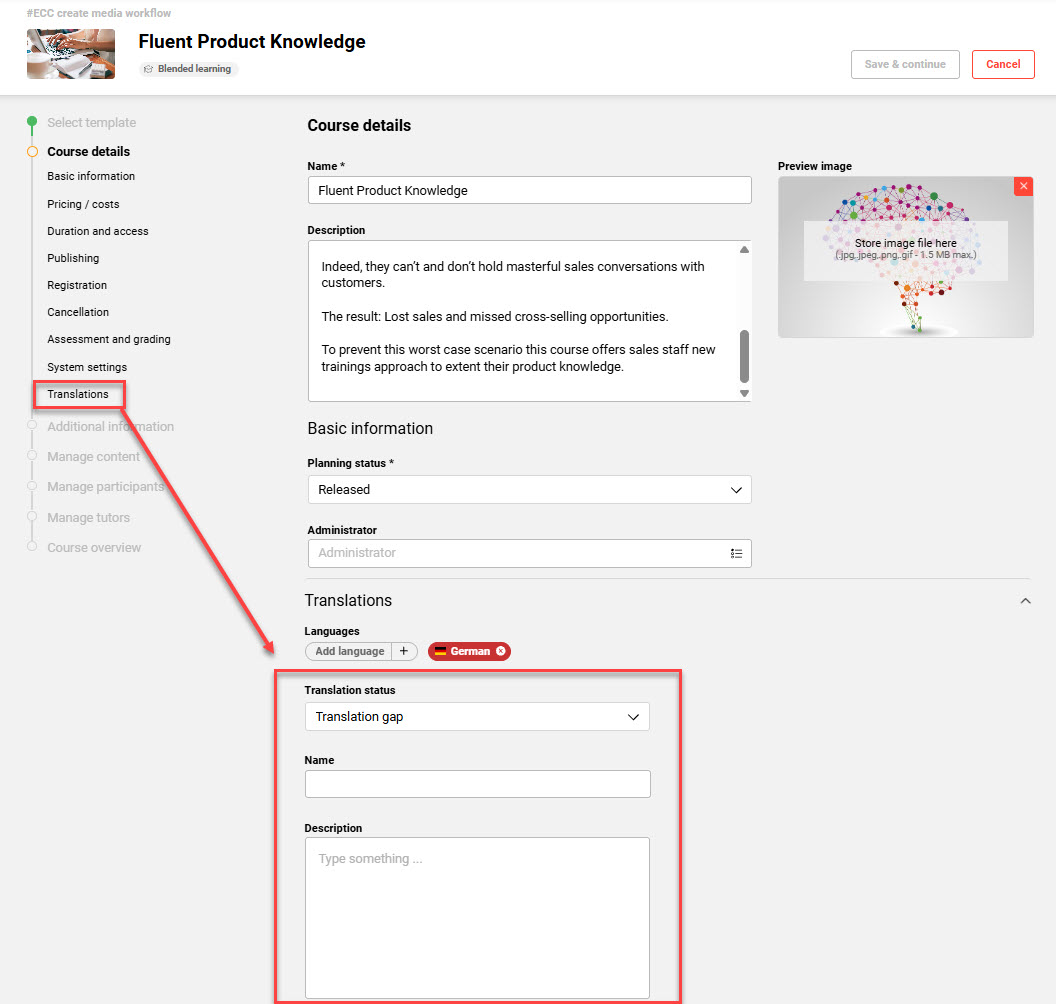
Benefits and Use Cases: Course managers often need to create and maintain multilingual courses whilst out of the office. With this update to the Easy Course Creation function, course managers benefit from:
-
Improved accessibility as the simplified course creation workflows are mobile friendly
-
Efficient creation and maintenance localised course content on a simple user interface
-
Consistent language and translation configuration across both course management interfaces
Easy Course Creation Design Modernisation
Overview: The Easy Course Creation (ECC) function design framework has been migrated from Angular to React. This delivers a modernised user interface, whilst maintaining the core functionality. The migration delivers several usability improvements including:
-
Added a text-based side stepper to improve the navigation between the workflow steps
-
Aligned visual layout and interaction patterns with our updated UI standards to create a more consistent and polished experience
-
Optimised responsiveness and layout behaviour to ensure better performance and usability on different screen sizes
-
Resolved some minor issues
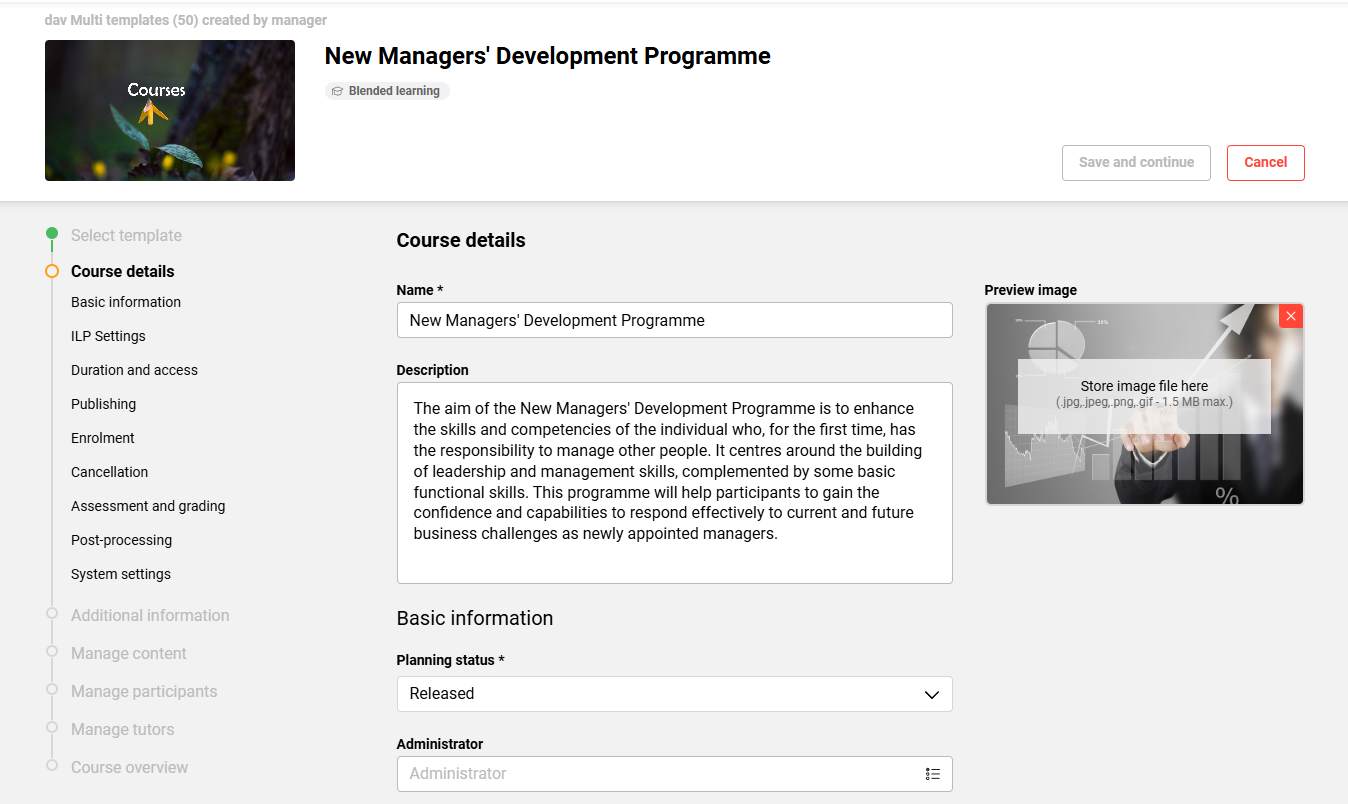
Benefits and Use Cases: Users benefit from a more intuitive and consistent user experience, with improved usability and smoother interactions. The familiar functionality remains available, allowing users to continue their existing workflows with minimal disruption.
Audience: Course administrators