
Featured highlights are generally innovations that either deliver entirely new functionality, are larger development packages, or contain important updates to existing functions. The featured innovations of this release are listed below:
HTML Mail Templates for Notifications and Enrolment Messages
Overview: A new HTML mail templates function enables the creation of email templates for Providers and Clients. These email layouts essentially apply a branded Header and Footer the standard Notifications and Enrolment message texts. Prior to sending standard Notifications and Enrolment messages, the LMS will check if the Provider of the training has a HTML mail template and if not, a subsequent check is performed to see if the recipient’s Client has a HTML mail template. With this new function you can:
-
Create, edit and delete HTML templates in a dedicated manager,
-
Define header and footer per language using a WYSIWYG editor, and
-
Assign branded templates to Providers and Clients.
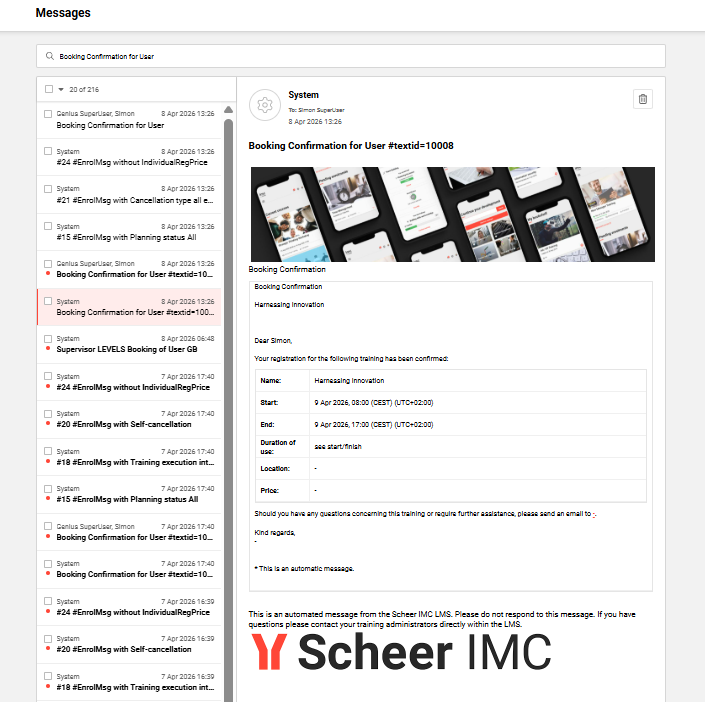
Benefits and Use Cases: As a System administrator, you can create mail design templates for each Provider and Client. This central function delivers you many benefits including:
-
Centralised management of branded HTML email layouts
-
Consistent corporate design for outgoing emails
-
Flexible assignment per Provider and Client with clear priority rules (Provider > Client > Standard)
-
Reduced manual formatting effort in Notifications and Enrolment messages functions
-
Improved visual quality through inline image support (via Image icon in editor)
-
Efficiency in creating/updating a few templates instead of hundreds of individual messages
Audience: System administrators
Page Editor
Overview: A new Pages option within the Dashboard pages function allows you to create rich, customisable pages with configurable sections, multi-column layouts, and in-page panels. Pages support custom panels including direct rich text entry, file uploads, and image maps, as well as standard panel assignment. Each section in the Page editor introduces flexibility in column layouts with up to three columns per section. The display width of each section is also configurable to either a standard or full-screen width. Within the page, all sections and panels can be rearranged via simple drag and drop.
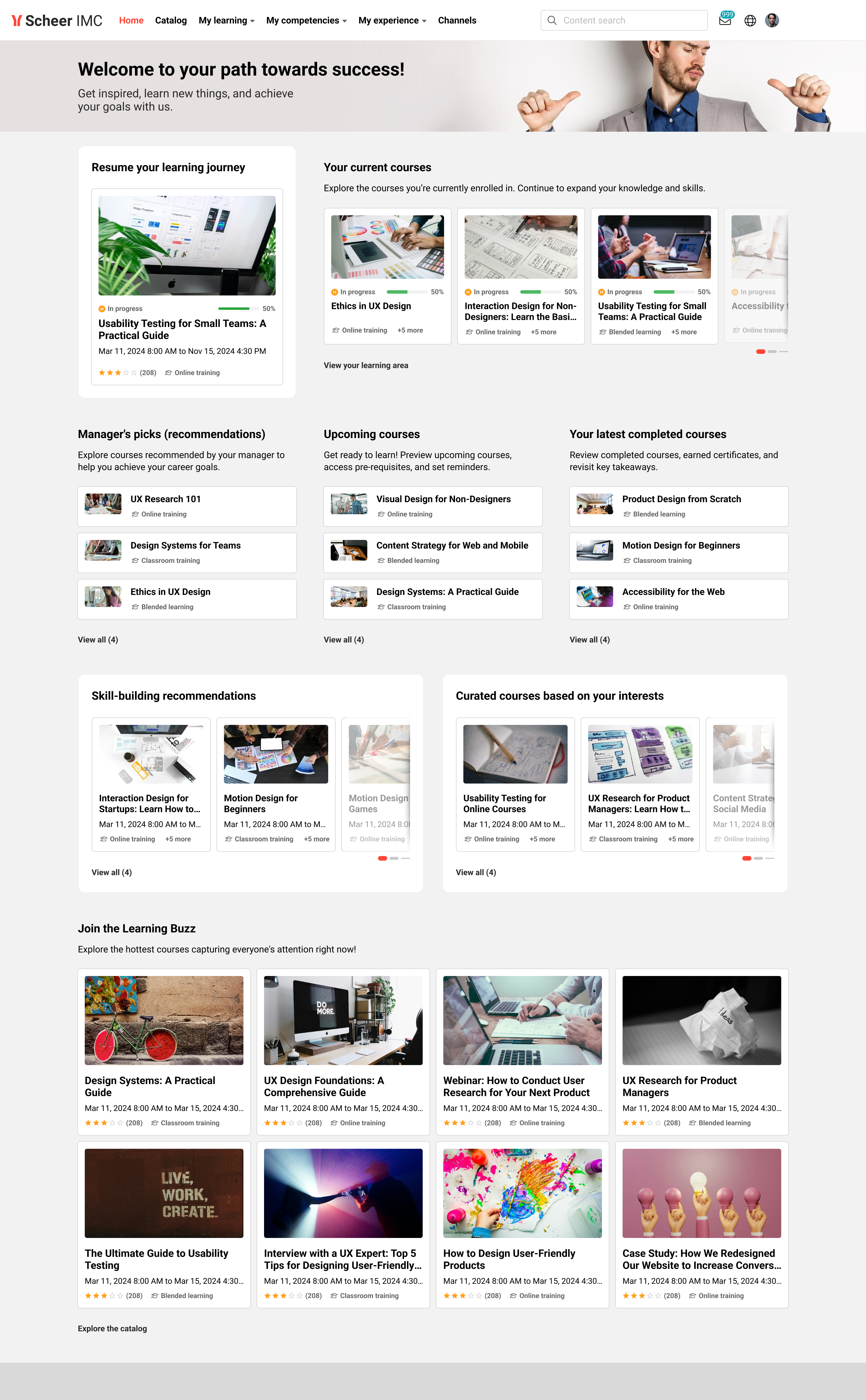
Further details on the panel possibilities are described below:
-
Rich text: Add formatted text content directly onto a page using the Rich Text in-page panel. The built-in editor supports font selection, size selection, colour selection, table creation with up to six columns, button creation, video links from external providers such as YouTube or Vimeo, image upload, and grid creation.
-
File upload: Upload documents, images, videos, and audio files directly onto a page using the File Upload in-page panel. Panel settings include a panel name, description, title, and an info text field. Supported file types include JPG, PNG, and SVG for images, and PDF, PPTX, DOCX, XLSX, and TXT for documents.
-
Image Map: Create interactive image-based content using the Image Map in-page panel. The panel is created on a page using the third icon in the in-page panel list. After uploading an image, authors draw hotspot shapes - rectangles, circles, or free-draw areas - directly onto the image. Each hotspot supports a tooltip with a title and description that appears on hover. Hotspots can link to internal or external URLs, with the option to open links in a new tab.
-
Panel Assignment: Assign select panels from the Panels function directly onto the page. A defined subset of panels - Feature Plugin Panel, Entry in Catalogue, Current Courses, Recommended Learning, and Mandatory Courses - supports configuration directly within the Page Editor. The Page Editor also supports multi-language content. Panels configured in the Panels function automatically follow the selected page language. In-page panels use the page's default language at creation and can be translated by switching the page language and editing directly on the page.
Benefits and Use Cases: This update provides you full control over page layouts and content composition without leaving the editor. Key benefits of the new page type include:
-
The section-and-column system enables flexible, visually structured pages tailored to different audiences. Drag and drop reduces the effort of reorganising content.
-
Rich Text panels enable you to compose and style informative, visually engaging page content without switching to external tools or feature panels. The editor consolidates common WYSIWYG formatting actions into a single panel.
-
You can build interactive, visually guided navigation experiences directly on the page. Hotspot-based linking and hover text turns static images into contextual entry points for related content.
-
Providing a range of downloadable or viewable files as part of the page content. Learners gain direct access to supplementary materials - documents, images, videos, and audio - without navigating away from the page.
-
Multi-language support ensures that localised content can be managed within a single page. The edit conflict warning improves collaboration with colleagues managing the same page.
-
Assigning standard panels alongside the new in-page panel options enables displaying dynamic training content related to the learner.
Audience: System administrators
Test-out Course Completion in Learning path
Overview: An update to Tests and Learning paths allows you to add Tests to the Learning path syllabus. This workflow is known as a ‘Test-out’ and can be used to automatically cover syllabus courses based on proven existing knowledge. The Test-out is just like a standard test where questions can be structured into topic-based sections using test folders. In the Learning path, each Test folder can then be mapped to a specific course in the Learning path. If a learner passes a section within the Test, the corresponding Course will automatically be marked as complete.
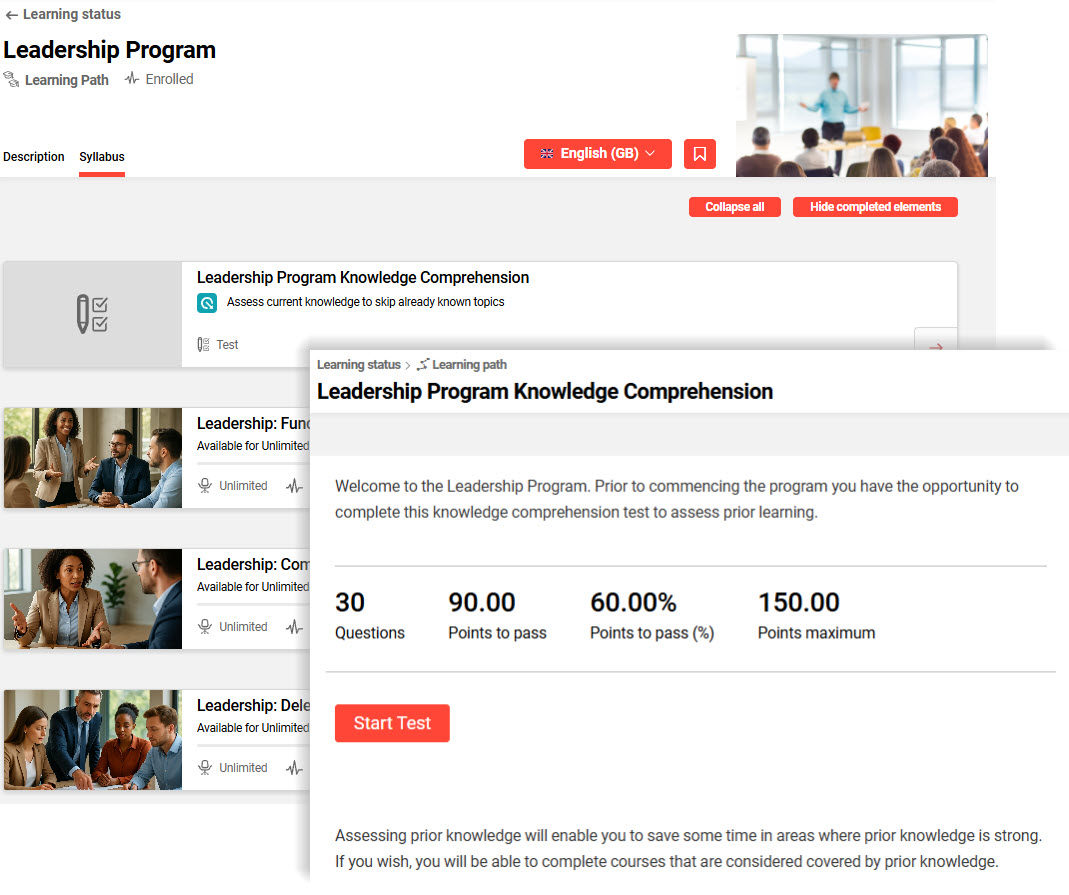
Benefits and Use Cases: This feature supports recognition of prior learning or knowledge. As a Learner, you can save time by skipping courses where Test-out results determine required knowledge is met. This allows the Learner to focus on the training that is actually required, reducing unnecessary course participation.
Audience: Administrators and Learners